











Run your homecare agency on proof, not paperwork.

Carelyst is scheduling, visit verification, billing and payroll for home care. Clock-ins carry proof, on-time visits verify themselves, and nothing bills twice. Your agency runs on its own private database.

Free for 14 days · No credit card · Cancel anytime

Everything an agency runs on

One system from the first schedule to the final payslip.

How it works

Four steps take a shift from booked to paid.

01

Build the schedule

Set up clients, service orders and recurring patterns: shifts generate themselves, conflicts get caught before they happen.

02

Caregivers clock in with proof

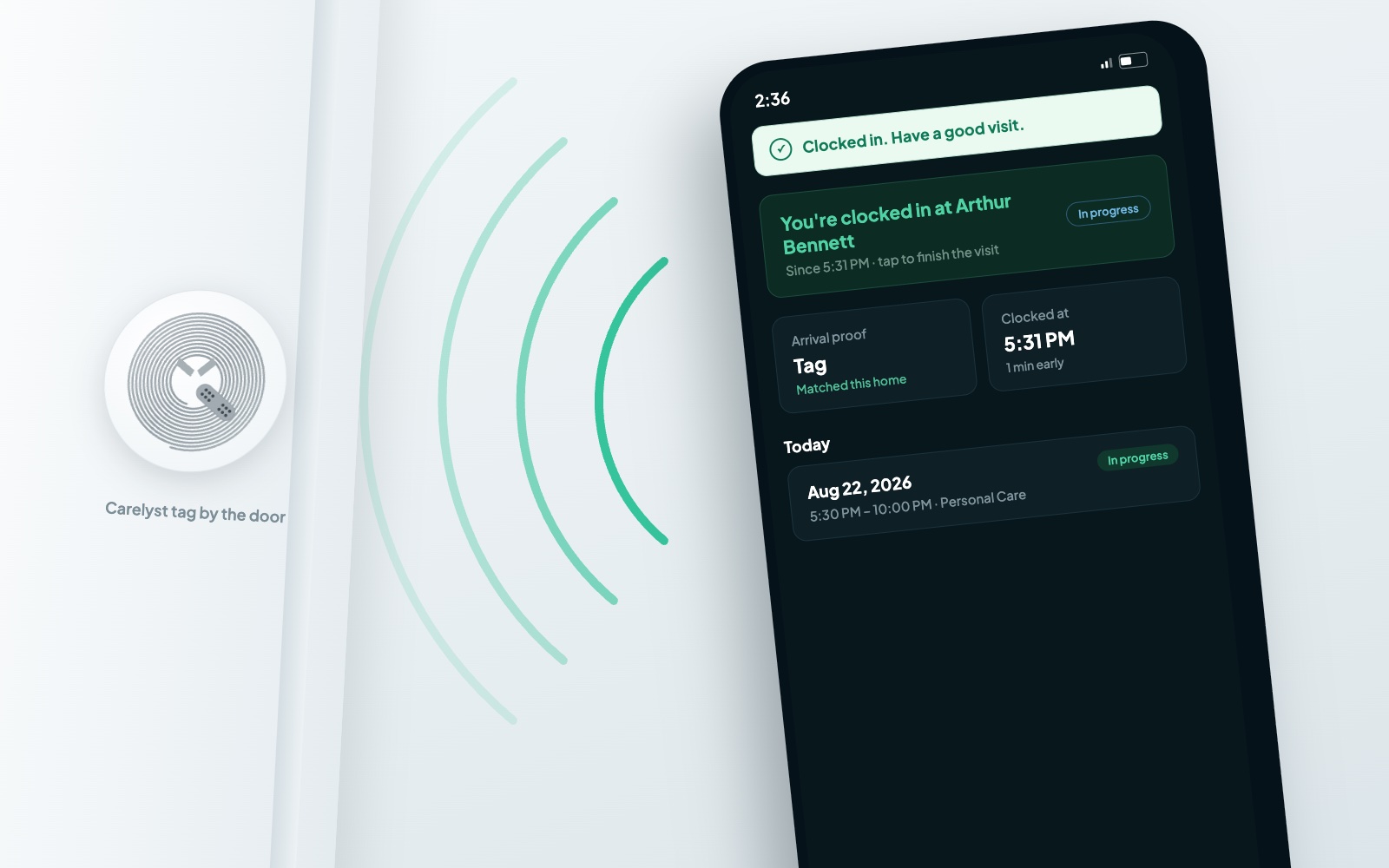
GPS, geofence, or a tap on the home's NFC tag. Care tasks get checked off, notes and wellness answers recorded.

03

Visits verify themselves

On-time visits auto-verify every hour. Coordinators review only the exceptions: the review queue finds them, not the other way around.

04

Invoice & pay in clicks

Verified hours become invoices and pay periods. Styled Excel workbooks and QuickBooks-compatible exports included.

For coordinators

A dispatch board that shows exactly what needs attention.

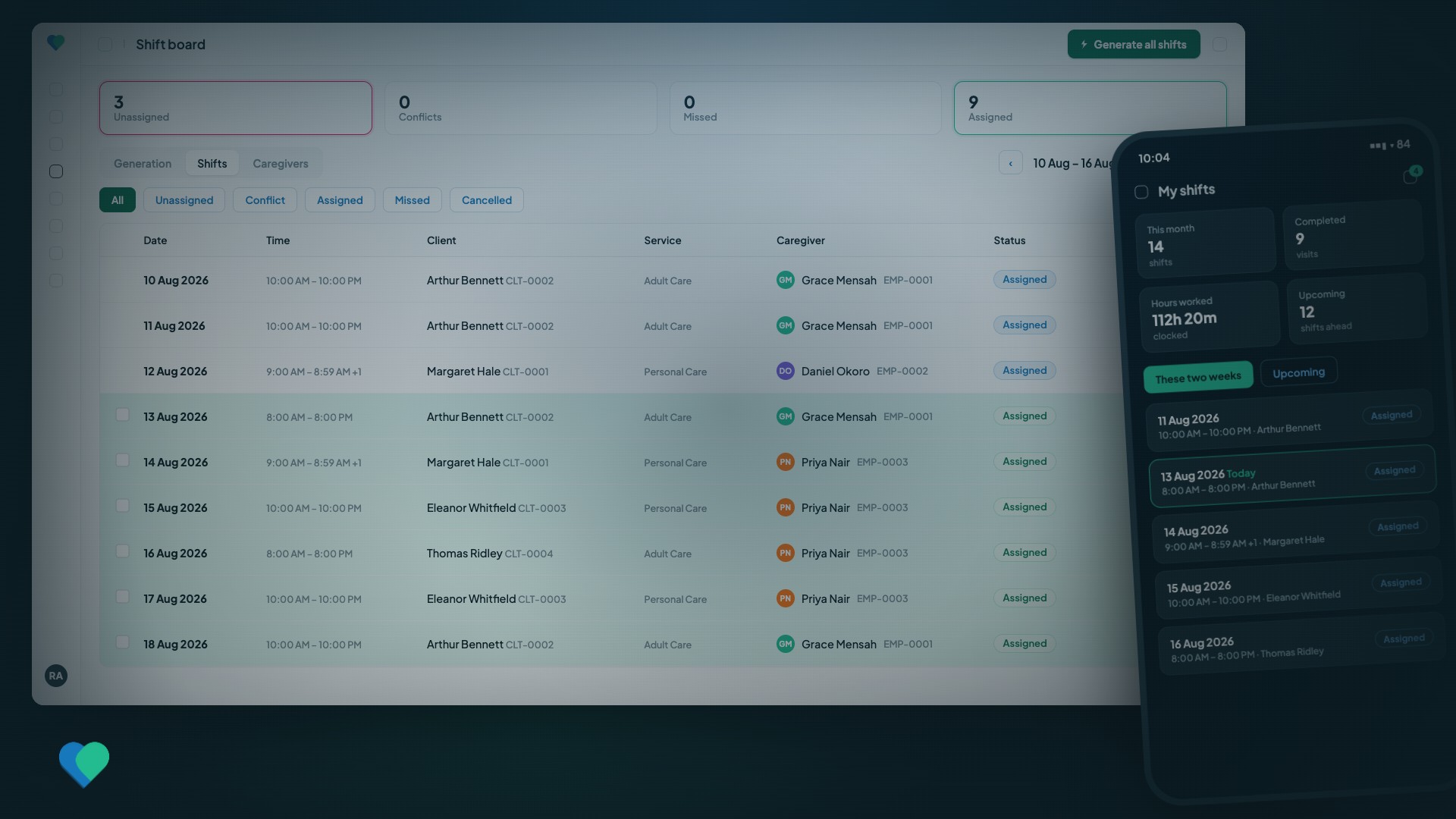
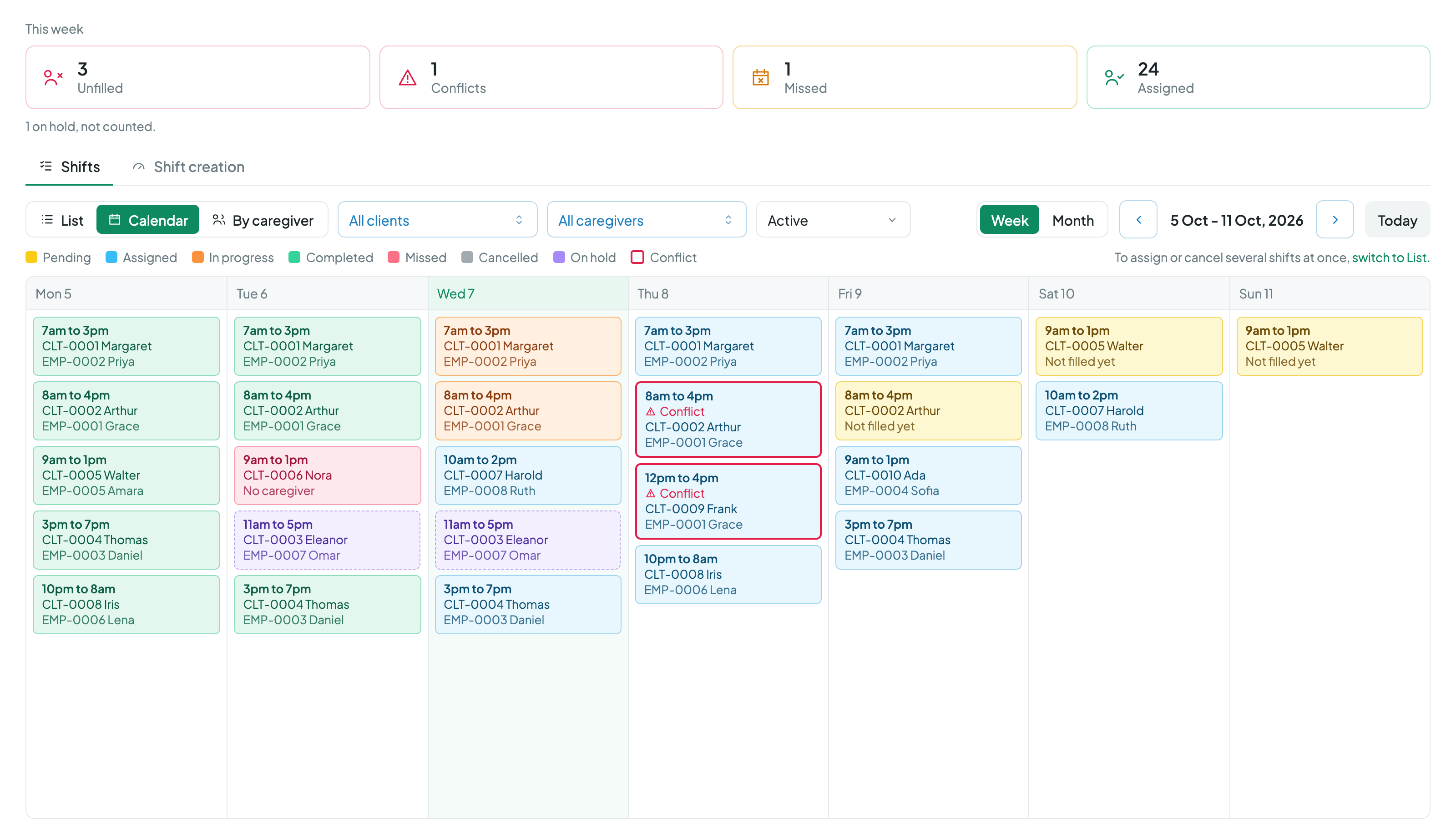
The shift board keeps the week honest: generation health per care order, an unassigned/conflict/missed queue that filters in one click, and an automatic sweep every 15 minutes that flags missed shifts and missing clock-ins, then clears its own alerts the moment a punch answers them.

  • Broadcast open shifts: first caregiver to accept wins, sibling offers withdraw themselves.
  • Absences unassign colliding shifts back into the fill queue in one confirmed step.
  • Client exclusions and double-booking guards enforced at assignment, not discovered after.
  • Overnight shifts are first-class: 10 PM–10 AM is one shift, everywhere.
  • Reports that export clean: shift register, caregiver hours, missing punches, billing variance.
The Carelyst shift board with the week's real work

Every change recorded

a full audit trail, by construction

What actually happened

The schedule is the plan. Punches are the proof.

Clocking in and out works two ways with Carelyst. Most agencies run on the phones caregivers already carry; some teams don't carry smartphones at all. Both are covered, and every punch lands in the same visits, billing, and payroll engine.

The Carelyst app

For caregivers with their own phones.

Caregivers clock in and out in the Carelyst app on the phone already in their pocket, iPhone or Android, and every punch carries its own proof.

  • GPS is captured at the moment of the punch, with an optional geofence around the client's address.
  • A ten-cent tag at the client's home makes the tap at the door the strongest proof of arrival.
  • Clock-out offers the same tap, so the visit can close with departure proof too.
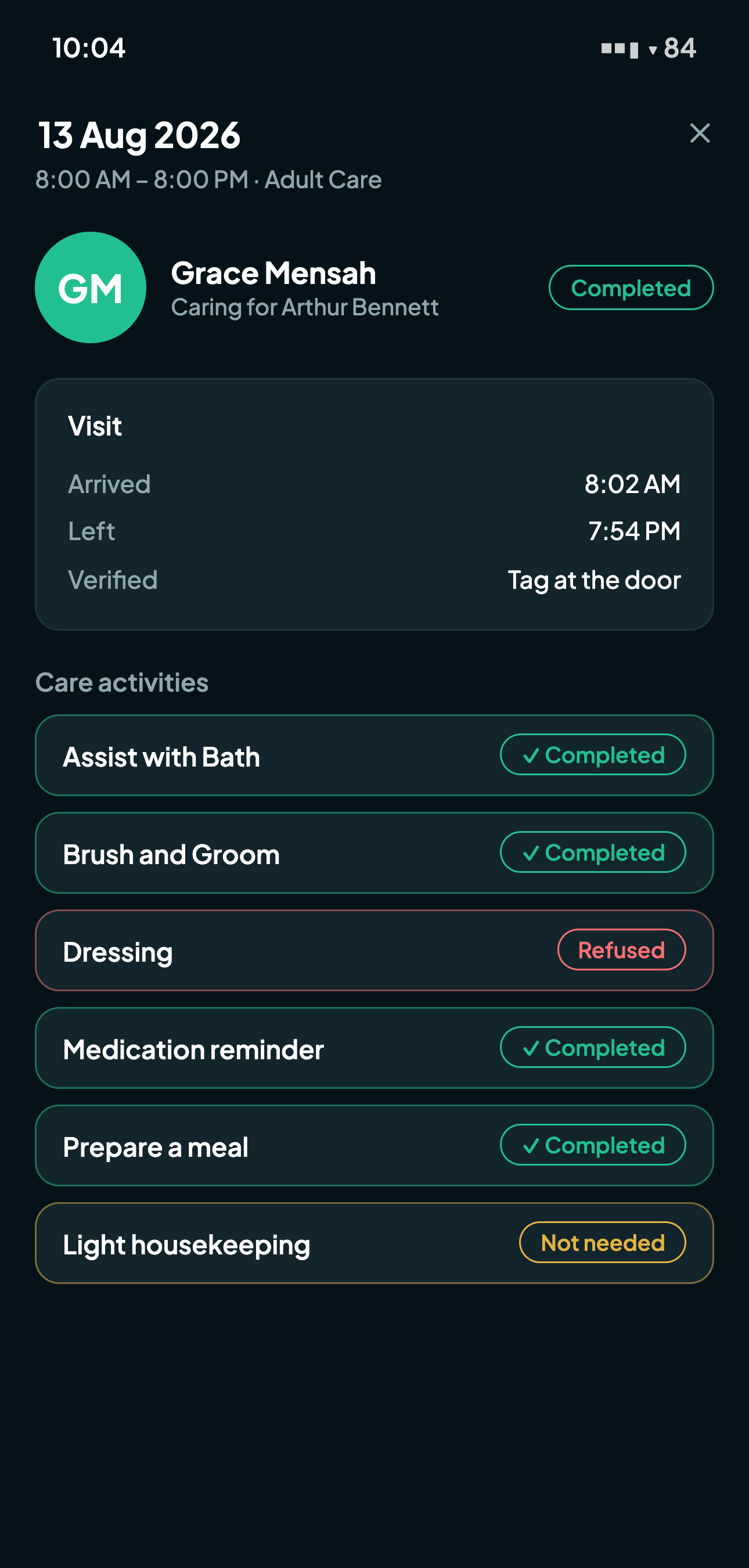
A caregiver clocked in by tapping the home tag, with arrival proof recorded on the visit

Carelyst Kiosk App

For teams that don't carry smartphones.

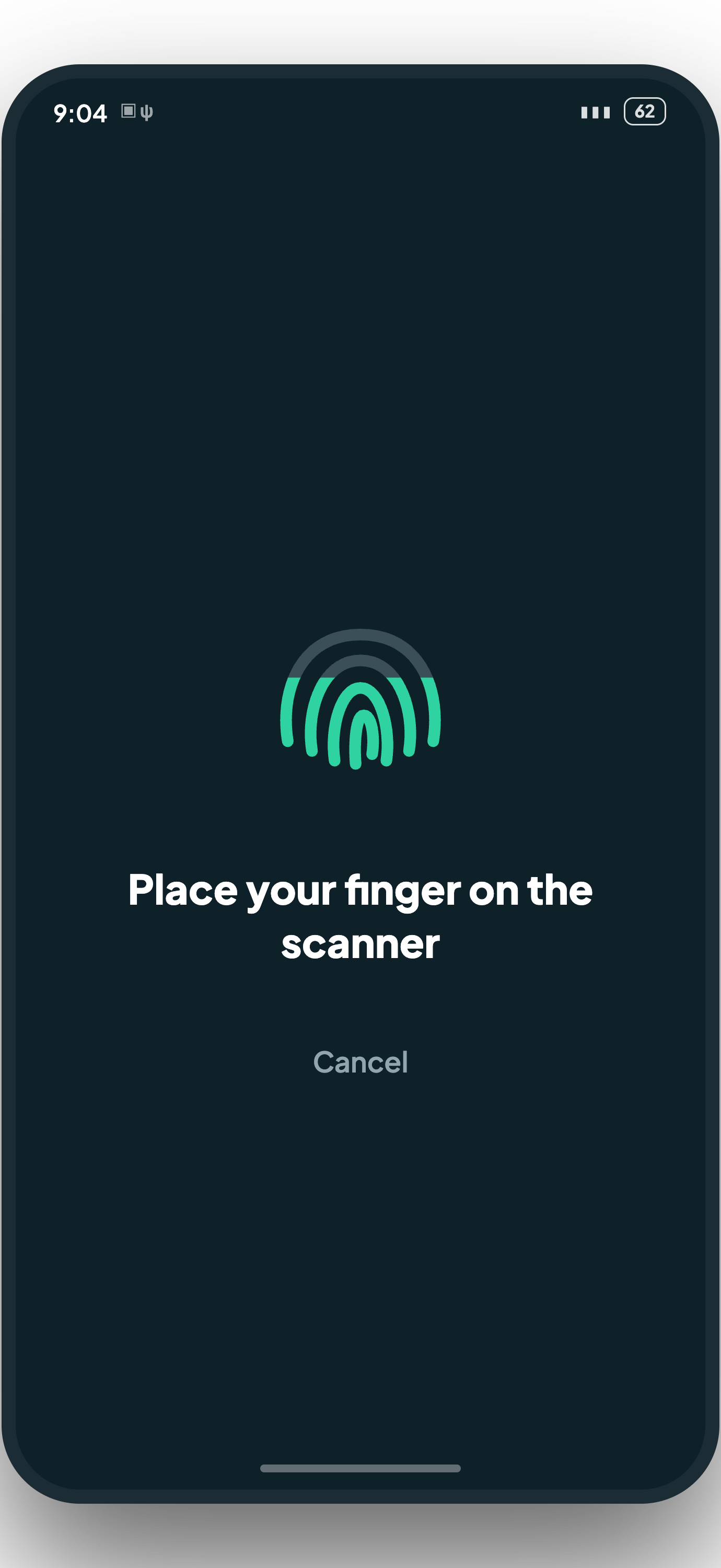
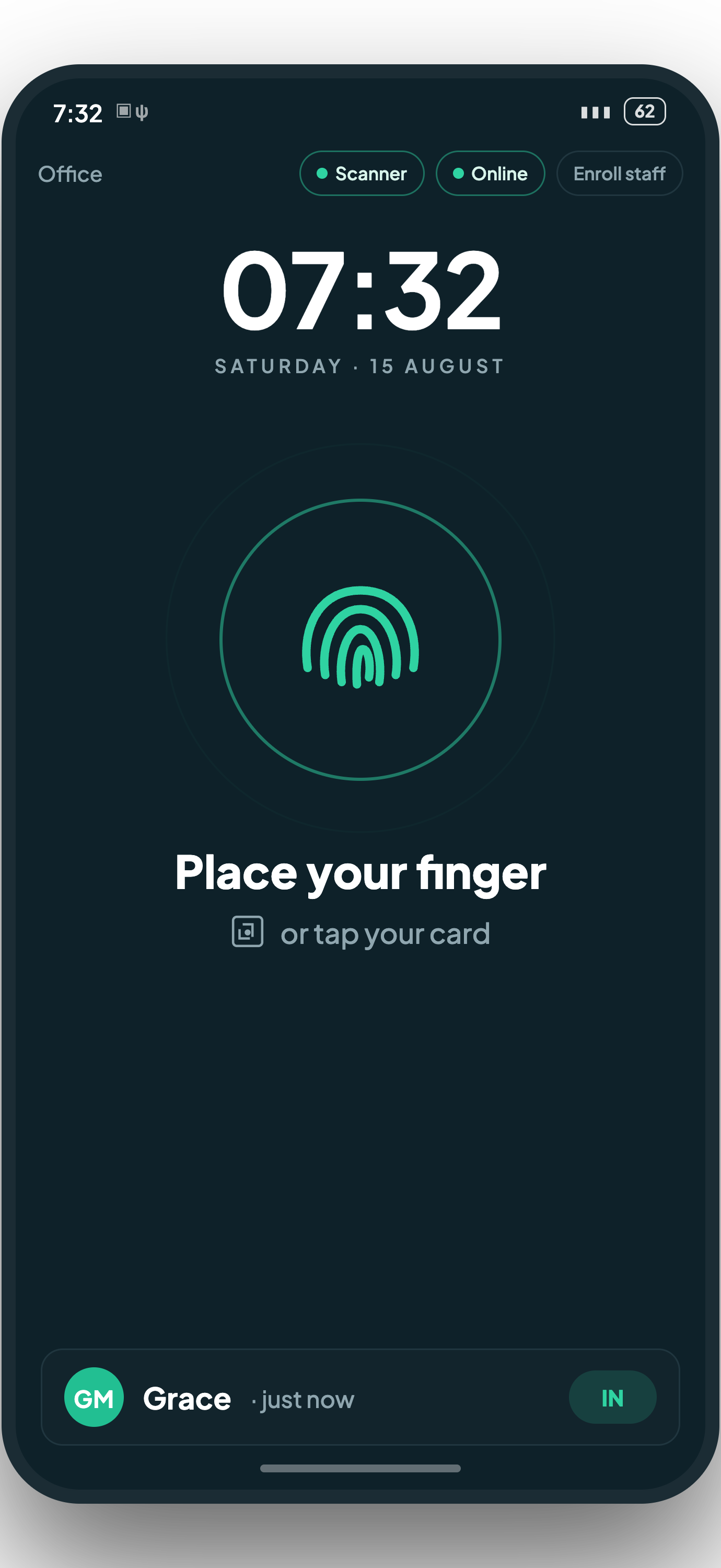
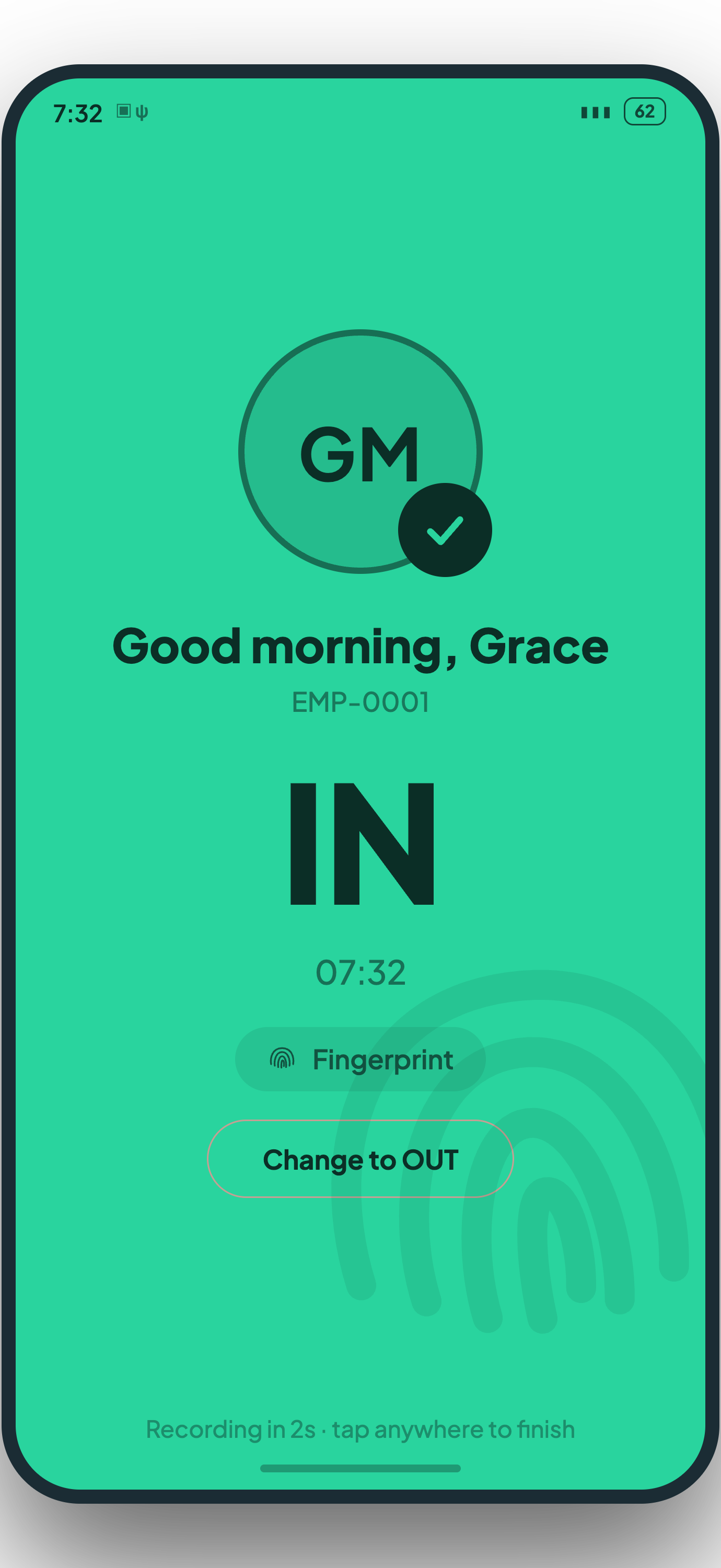
A shared Android phone with a fingerprint scanner and staff cards, in the office and in the vans. A caregiver presses a finger or taps a card; a photo and a chime confirm the punch, and the next person steps up.

  • Punches pair themselves into visits: work hours and travel time, straight into billing and payroll.
  • No signal in the van? It keeps working offline for days and syncs itself; nothing is lost.
  • Fingerprints are stored as encrypted templates, never as images.
Enrolling a fingerprint on the kiosk
The kiosk waiting for a finger or a card
A punch confirmed with a photo and a tick

For proof & payment

Every hour billed is an hour proven.

Visit verification isn't a checkbox: it's the spine of billing. Punches carry GPS distance with green/amber/red proof badges, a tap on the home's tag gives at-the-door certainty, and an optional gate makes invoices and payroll pick up only verified work.

  • Care-first always: a missing GPS fix or forgotten tag never blocks care: it routes to review.
  • Punch corrections require a stated reason and record who changed what, when.
  • Invoice drafts warn on the spot if the period contains unverified visits.
  • Zero-rate lines are flagged loudly at generation: nothing bills at $0 silently.
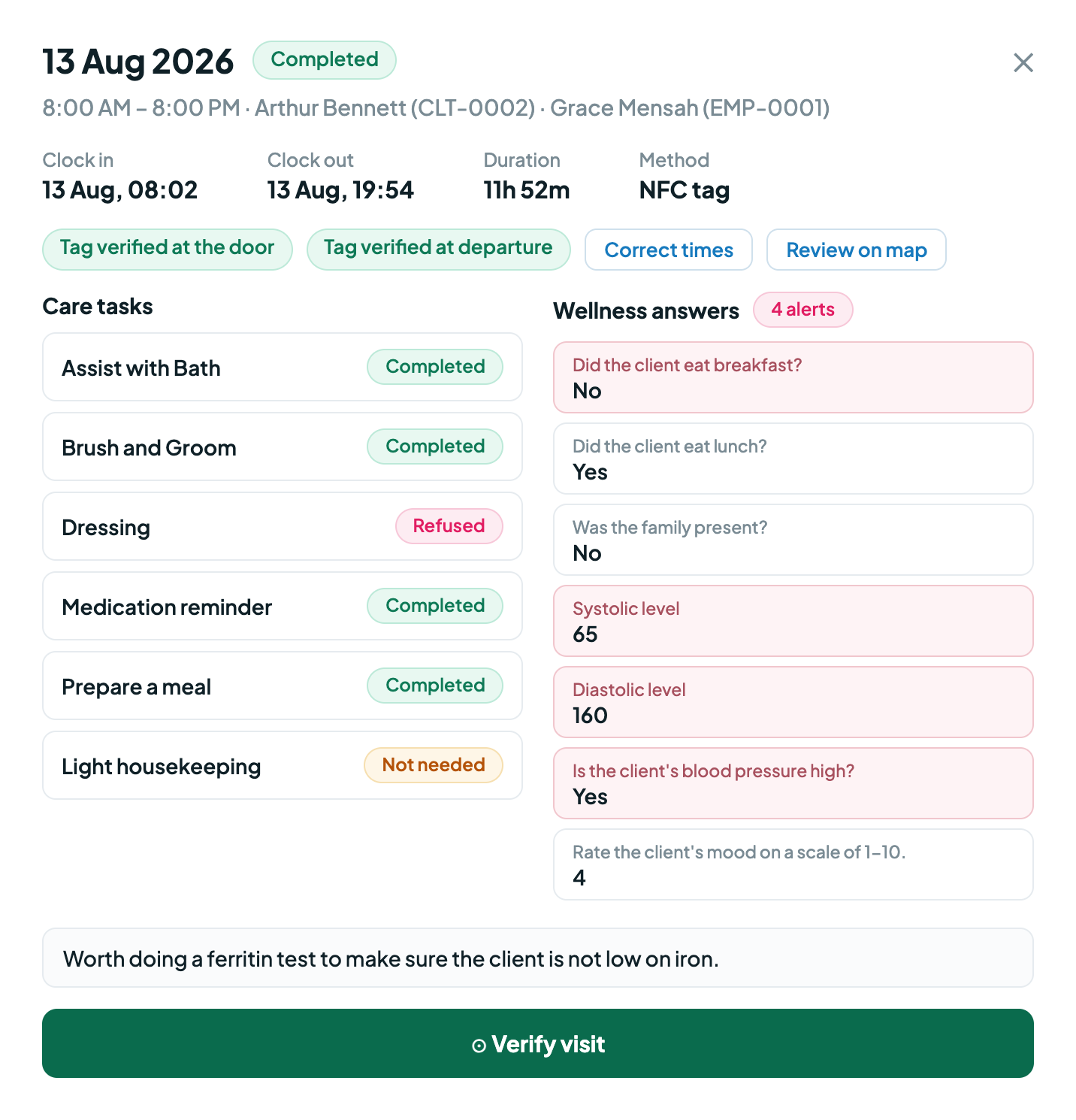
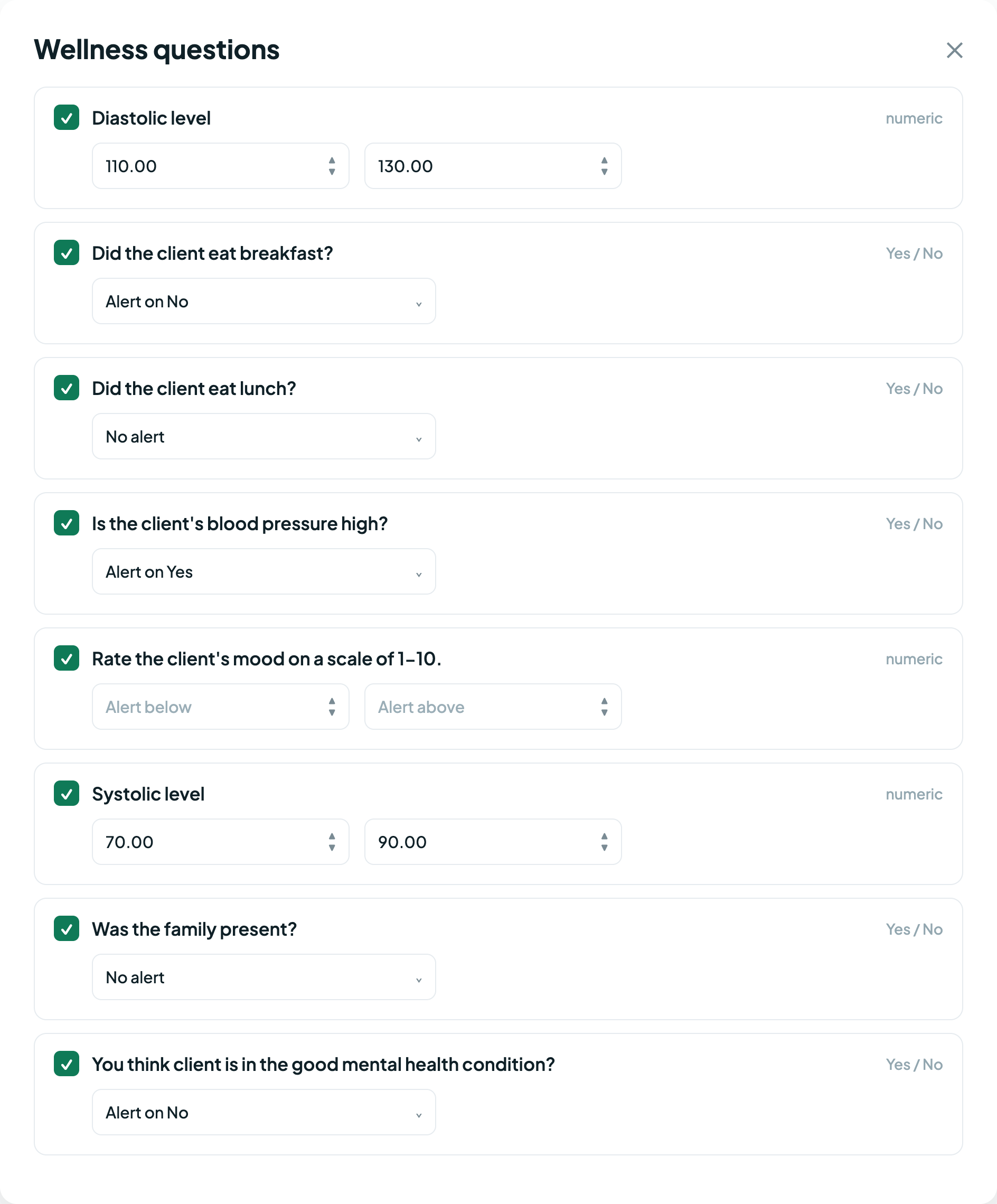
  • Wellness answers check themselves: a reading outside the client's own thresholds alerts the office.
A verified visit with wellness answers flagged for review
Setting a client's own wellness thresholds

For the people around the care

A dedicated app for caregivers, a private portal for families.

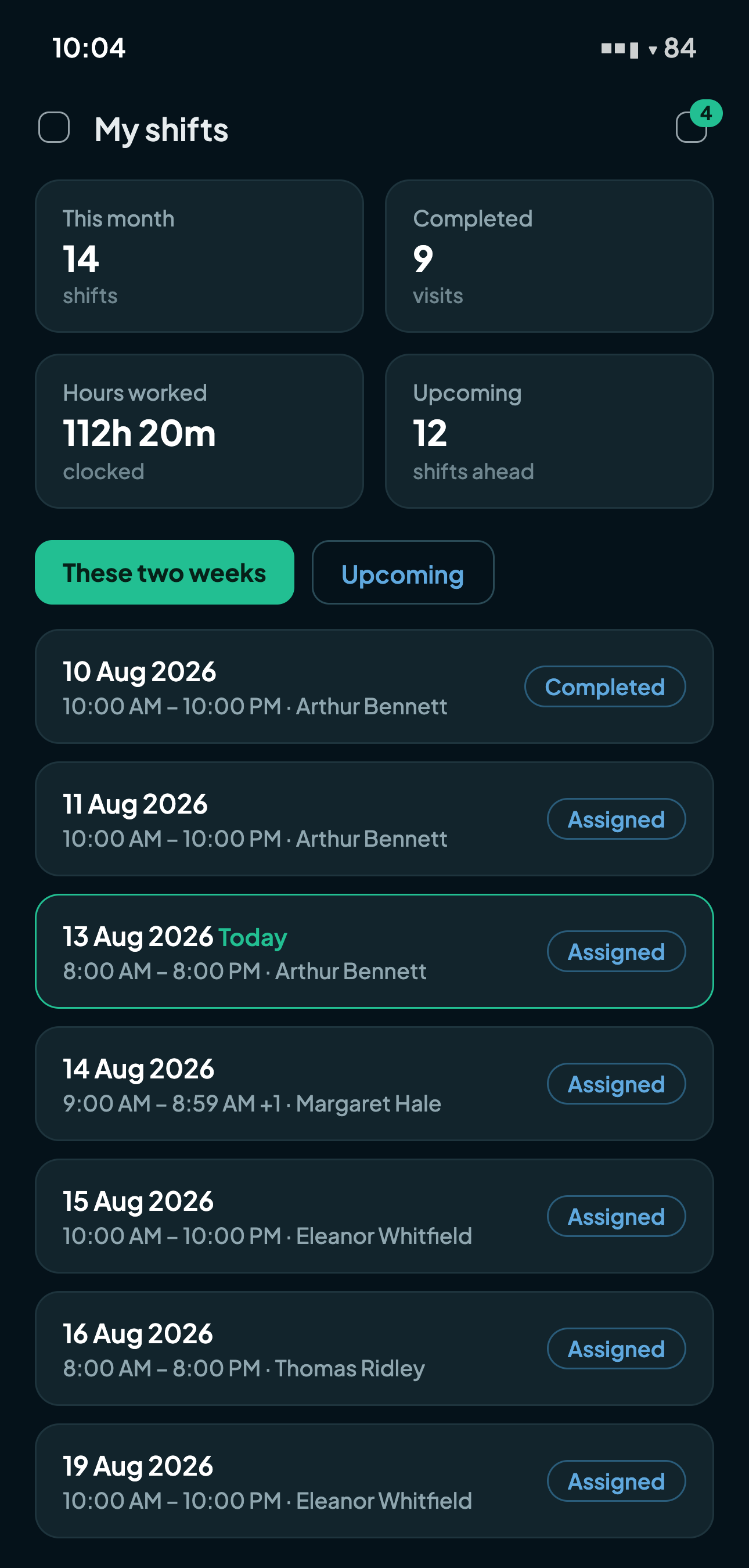
Caregivers work from their own app: schedule, offers, clock in/out, documents, chat with the office. Families get a read-only window: who's coming, when, and what care was delivered, with caregiver photos and visit notes. Privacy-scoped, always.

  • Branded email invitations: everyone sets their own password, nothing dictated over the phone.
  • Sign in with Google or Apple: the phone's own account sheet, on web and in the apps.
  • One family login can span several clients: a daughter overseeing both parents.
  • No smartphone? The attendance kiosk covers them: a fingerprint or a card, same billing engine.
A caregiver's day in the Carelyst app
What a family sees after a visit

Pricing

One plan that includes everything.

Carelyst does not sell tiers. Every agency gets the whole product, and the price moves only with the number of caregivers who actually work in a month. It starts with a 14-day free trial, no credit card.

Monthly

Yearly (2 months free)

Carelyst Complete

Every feature, for every agency, from day one

$49 CAD mo
$490 CAD yr

Your first 20 active caregivers are included. Each additional active caregiver is $4 CAD / month, always billed monthly.

Everything included
  • Unlimited clients, visits, schedules, and offices
  • A dedicated private database for your agency alone, hosted in Canada
  • Caregiver app, family portal, and the attendance kiosk
  • Your agency's own public page, at its own web address
  • Guided onboarding and priority human support
  • Booked time with a senior engineer, on any technical question
Start free trial

14 days free, no credit card, cancel anytime. Secure checkout by Stripe.

Calculate your estimated cost

Move the handle to match your team and watch the total.

The handle stops at 100. For a bigger team, type the exact number in the box.

Base platform fee (first 20 active caregivers included) $49.00
Additional active caregivers (0 × $4.00) $0.00

Estimated monthly total $49 CAD

Staff on leave, off sick, or with no scheduled shifts add $0: beyond the $49 base, you are only ever billed for caregivers who actually worked. The rate never changes with size, every additional active caregiver is $4.00 at any team size. Running more than one agency? Each additional agency's base fee is 20% off.

Start free trial

Also included with every plan

“Every subscription includes booked time with me, the engineer who built Carelyst. Bring your technical questions, even the ones beyond the platform: your email setup, your domain, the things nobody on your team has time to figure out. Every agency on Carelyst is a partner to me. I only succeed when you do, so that expertise comes with the plan, not with a hire.”

Akram Wahid

Senior engineer, builder of Carelyst

Everything the plan includes

There is no comparison table on this page because there is nothing to compare. Every agency on Carelyst runs the same full product, and all of this comes with it.

Scheduling and dispatch

  • Weekly, fortnightly, and monthly recurring schedules, plus one-off visits
  • Overnight shifts handled natively
  • Shift board with conflict detection and bulk assignment
  • Open-shift offers where the first caregiver to accept wins
  • Service orders with authorized-hours meters
  • A complete audit trail of every schedule change

Visit verification (EVV)

  • EVV-style GPS clock-in and clock-out with geofencing
  • Home NFC tags for at-the-door proof
  • On-time visits verify themselves; you review only exceptions
  • Missed visits and late clock-outs caught within 15 minutes
  • Punch corrections that always record who, when, and why
  • Duration variance alerts before billing runs

Billing, payroll, and reports

  • Invoices generated from verified visits, payments tracked to paid
  • Payroll periods with locking and carry-forward protection
  • Recurring allowances and deductions per caregiver
  • Travel time that flows into payroll on its own
  • Operational reports with CSV and styled Excel exports
  • QuickBooks-compatible invoice and customer exports

Clients and caregivers

  • Client records with care plans, contacts, payors, and documents
  • Caregiver credentials with expiry tracking and renewal reminders
  • Availability, absences, and a one-step call-in-sick flow
  • Client preferences and exclusions enforced at assignment
  • Incident reporting from minor to critical, with a review workflow
  • Service interruptions that pause care safely during hospital stays

Apps and portals

  • Caregiver app for iPhone and Android with push notifications
  • Family portal showing the schedule and the care delivered
  • Attendance kiosk app with fingerprint and staff-card punches
  • Secure messaging between the office, caregivers, and families
  • Google and Apple sign-in for every kind of user
  • Notifications that arrive the moment something changes

Your agency, our team

  • A public web page for your agency, at your agency's own web address, included in the plan. Curious what one looks like? Visit the demo agency.
  • We set up your web address with you on a call, no technical steps on your side
  • Guided onboarding for your team
  • Priority human support with tracked tickets
  • Help bringing your existing client and caregiver lists over

Need a feature we lack, or something specific to your agency? We review every request: features that serve many agencies are built in free with priority, and work for your agency alone is either free or quoted once, up front.

FAQ

The questions agencies actually ask.

Every agency gets its own dedicated database, hosted in Canada (Toronto), never shared tables with row filters. Every screen is permission-gated by role, two-factor sign-in is built in, and caregiver location is captured only at clock-in and clock-out moments. Nothing is ever sold or used for advertising; the full privacy policy is on this site.

Your workspace is created in about a minute: pick a web address, sign up, and you can build your first schedule the same day. There is no months-long implementation project. The team helps new agencies bring their existing client and caregiver lists over: write to hello@carelyst.ca.

Caregivers can work entirely from the browser on any phone, or install the Carelyst app on iPhone or Android for push notifications, NFC tag taps, and the smoothest clock-in experience. Both run the same portal.

Care always comes first. A missing GPS fix, an unreadable tag, or a dead battery never blocks a caregiver from starting care: the visit simply routes to your review queue with the reason recorded, and coordinators can correct punches with a stated, audited reason.

Yes: that is exactly what the attendance kiosk is for. A shared Android phone with a fingerprint scanner and staff cards, in the office and in the vans, records the whole day. Work and travel time are separated automatically, punches become visits in the same billing and payroll engine, and it keeps working offline for days.

No contract: the plan runs month to month and you can cancel anytime. Cancelling stops future charges, your workspace stays open until the paid period ends, and you can export your data. The price is the whole price: $49 a month with your first 20 active caregivers included, plus $4 a month for each additional active caregiver, and nothing else.

Every agency starts with 14 free days of the full product, no credit card. When the trial ends you subscribe to keep going; nothing is ever charged without you choosing it.


Ready to run care in one place?

Your agency's private workspace is one signup away, and caregivers carry their whole day in the free app.

Start your 14-day free trial

No credit card to start · Cancel anytime

Download on the App Store Get it on Google Play
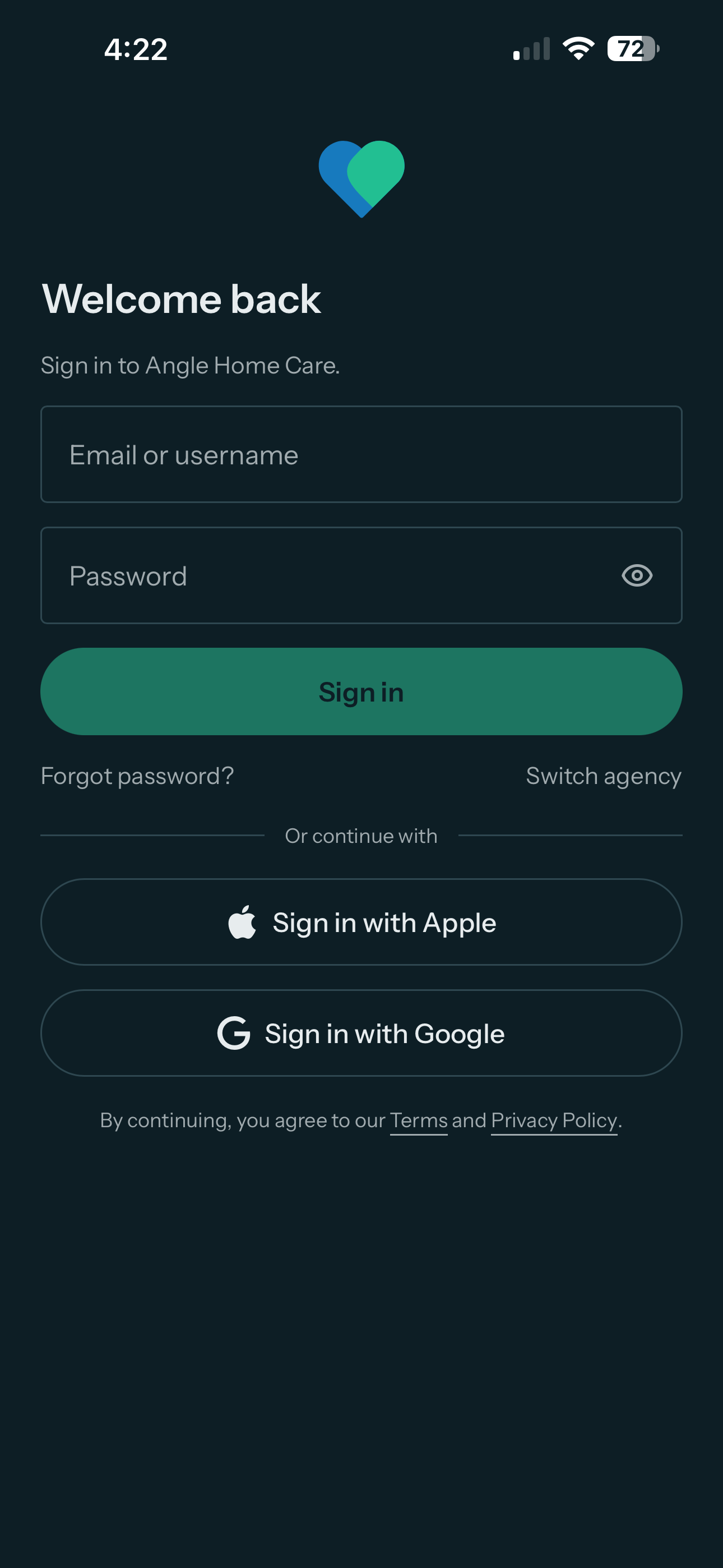
The Carelyst app sign-in screen with Continue with Google and Continue with Apple