Two ways to count hours
Paid the same way you bill.
Pay what was worked
From clock-ins
Pays completed visits, at each caregiver's hours and rate.
- A visit completed after its period locked is picked up by the next period, labelled carried forward.
- A visit corrected after its period locked marks that period Adjust, so you settle it on the next one.
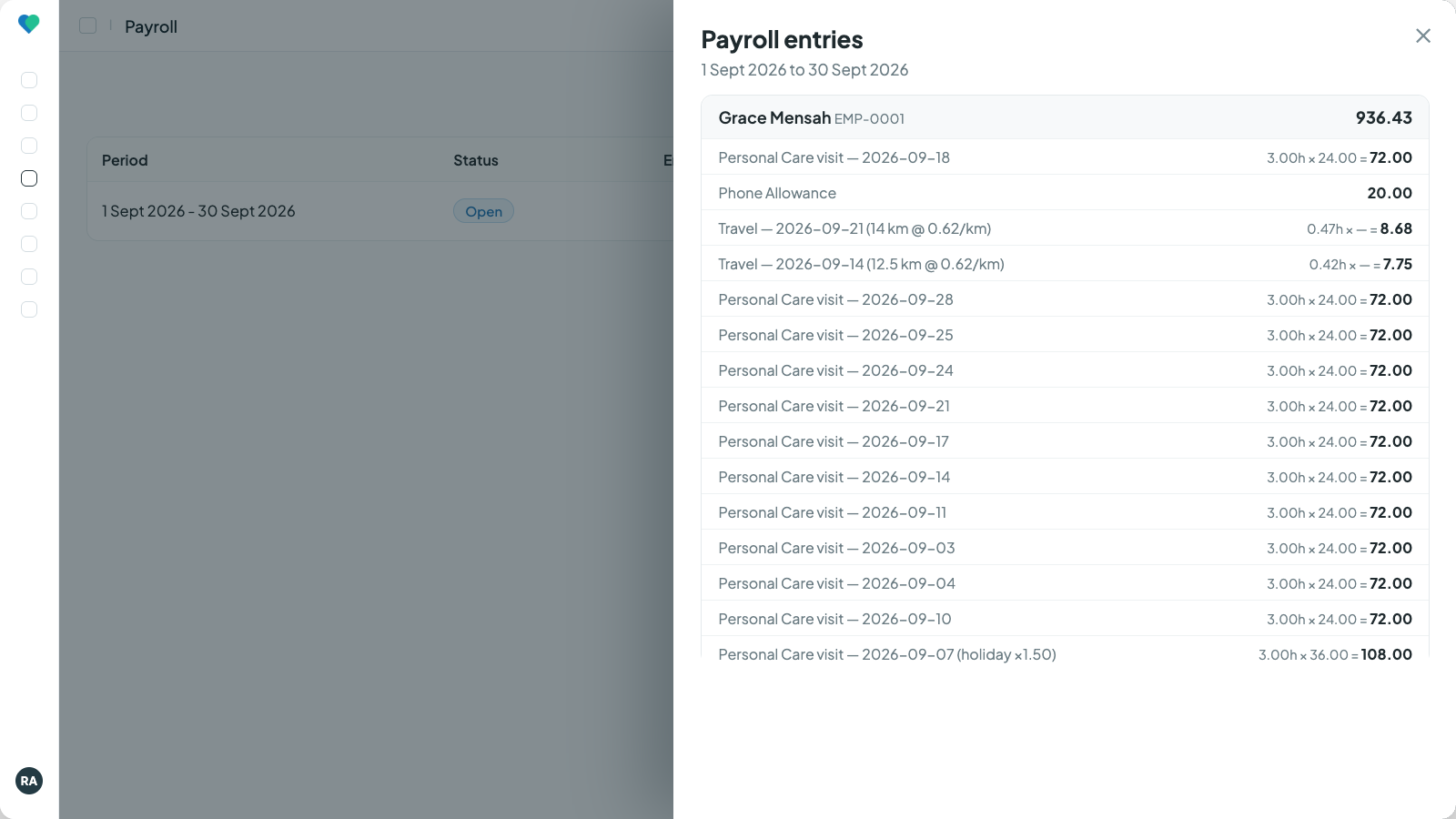
A pay run reviewed per caregiver, hours × rate. Click to enlarge.
Pay what was planned
From the schedule
Pays assigned shifts as planned, future ones included. The run tells you how many are paid before being worked.
- Changes after a period was paid ride on the next pay run as credits or debits, naming the period they correct.
- When cover changes hands, the first caregiver is credited and the new one paid. Shifts on hold or without a caregiver are never paid.
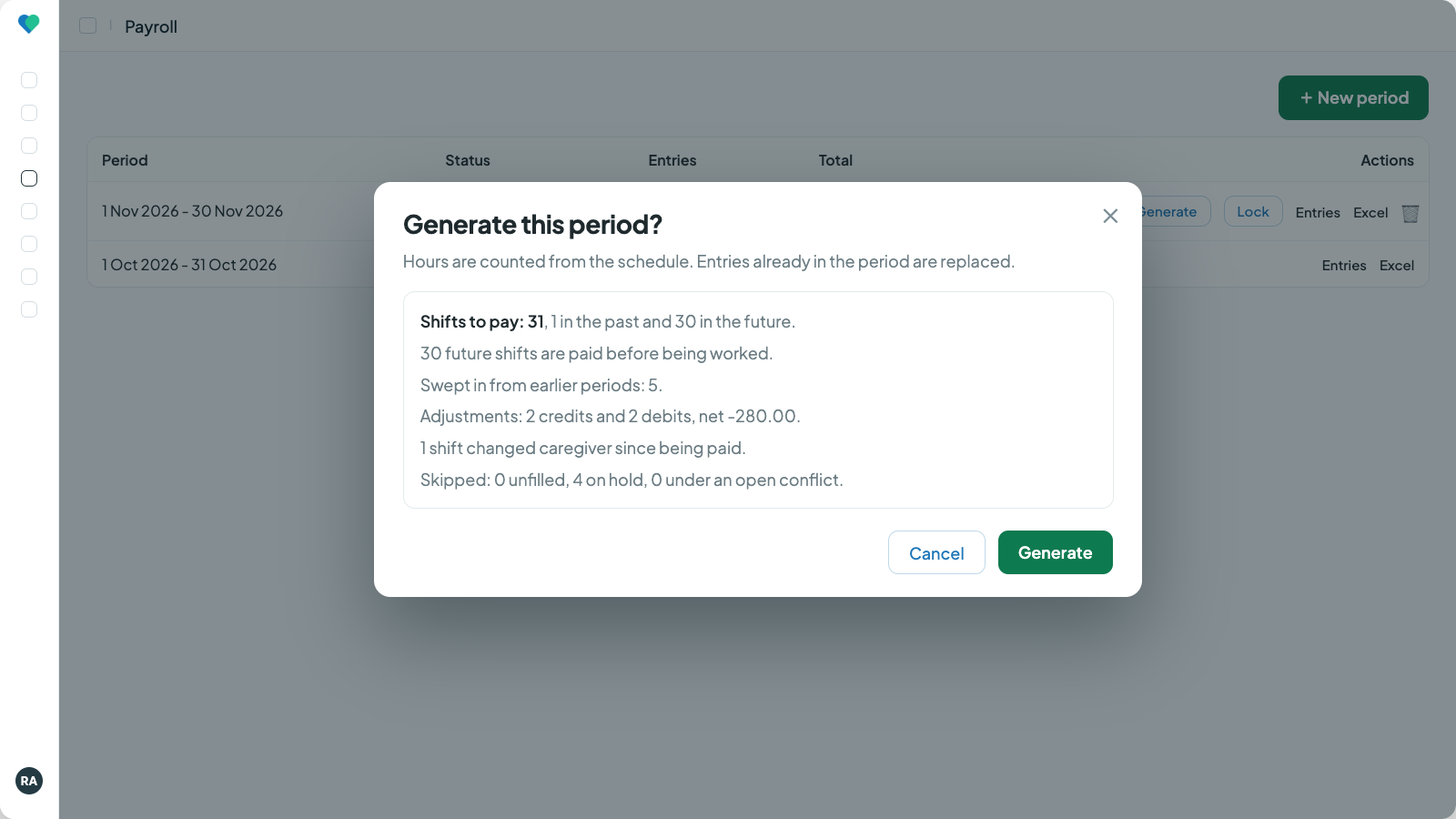
The run before it writes anything: shifts to pay, paid in advance, changed caregiver. Click to enlarge.
Periods
Review it, lock it, export it.
A pay run fills itself in one click from the period's visits or shifts, payable travel, and the recurring items you set per caregiver. Each caregiver's entries show hours, rate and total, so what you approve is what you pay from.
- Travel entries carry minutes and kilometres, and payable travel is paid at your rate per kilometre.
- Allowances, deductions and reimbursements apply per caregiver with start and end dates; ending the window stops the money.
- Holiday rates you set once apply to every visit or shift on that date.
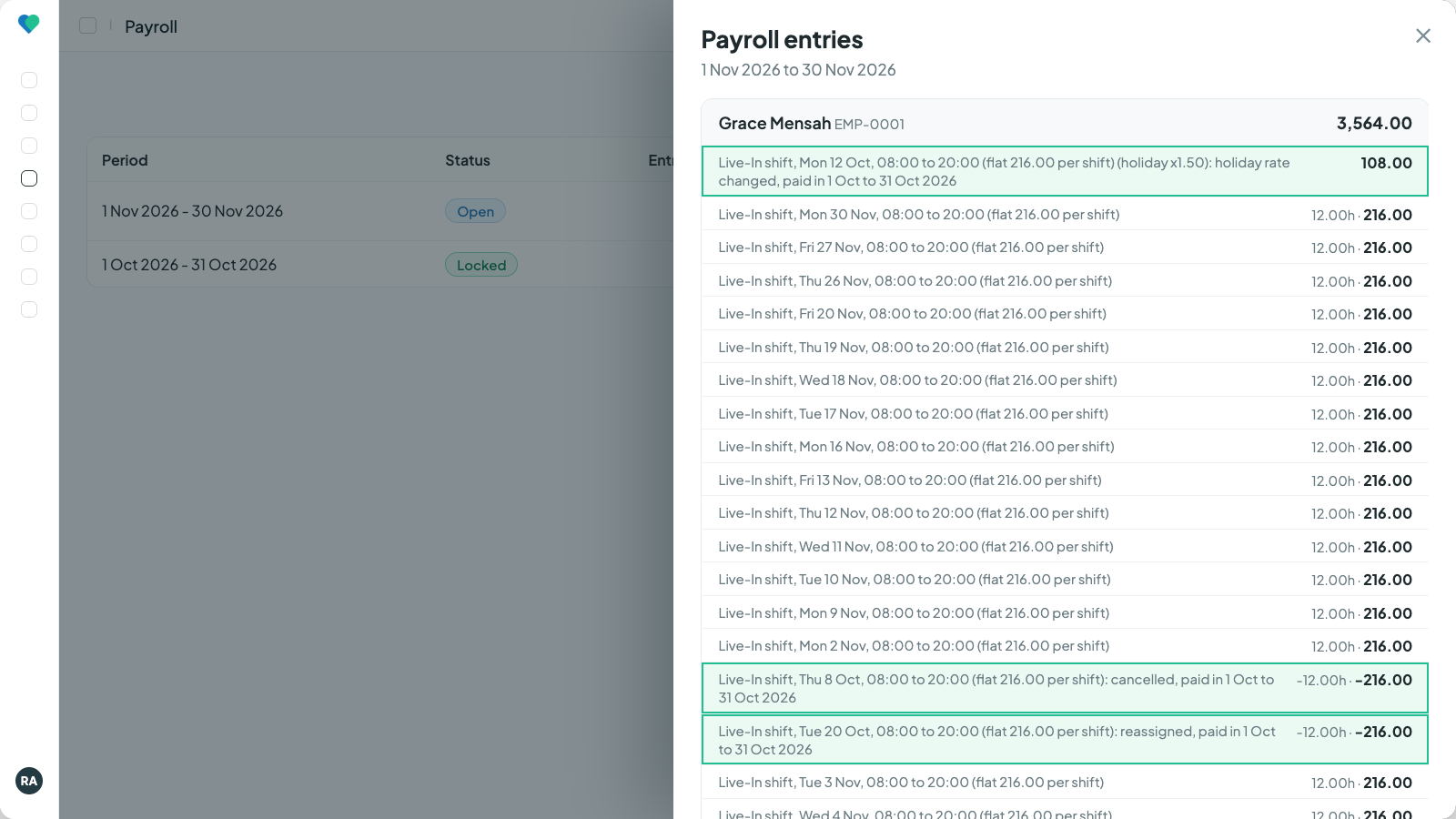
Flat shifts pay once each; corrections and the holiday uplift arrive as their own entries. Click to enlarge.
Pay-once integrity
Every hour lands in exactly one period.
Overlaps refused at creation
Two periods can never cover the same day, boundary days included.
Paid once
A visit, shift or travel entry already paid is never paid again. On clock-in billing the database itself refuses a second payment, even when two people generate at the same moment.
Locks that mean it
Open periods can be deleted; locked ones are permanent history, so what you paid from stays what you paid from.
Late work is never lost
A visit completed after its period locked is carried forward to the next open period. On schedule billing, changes settle on the next run by themselves.
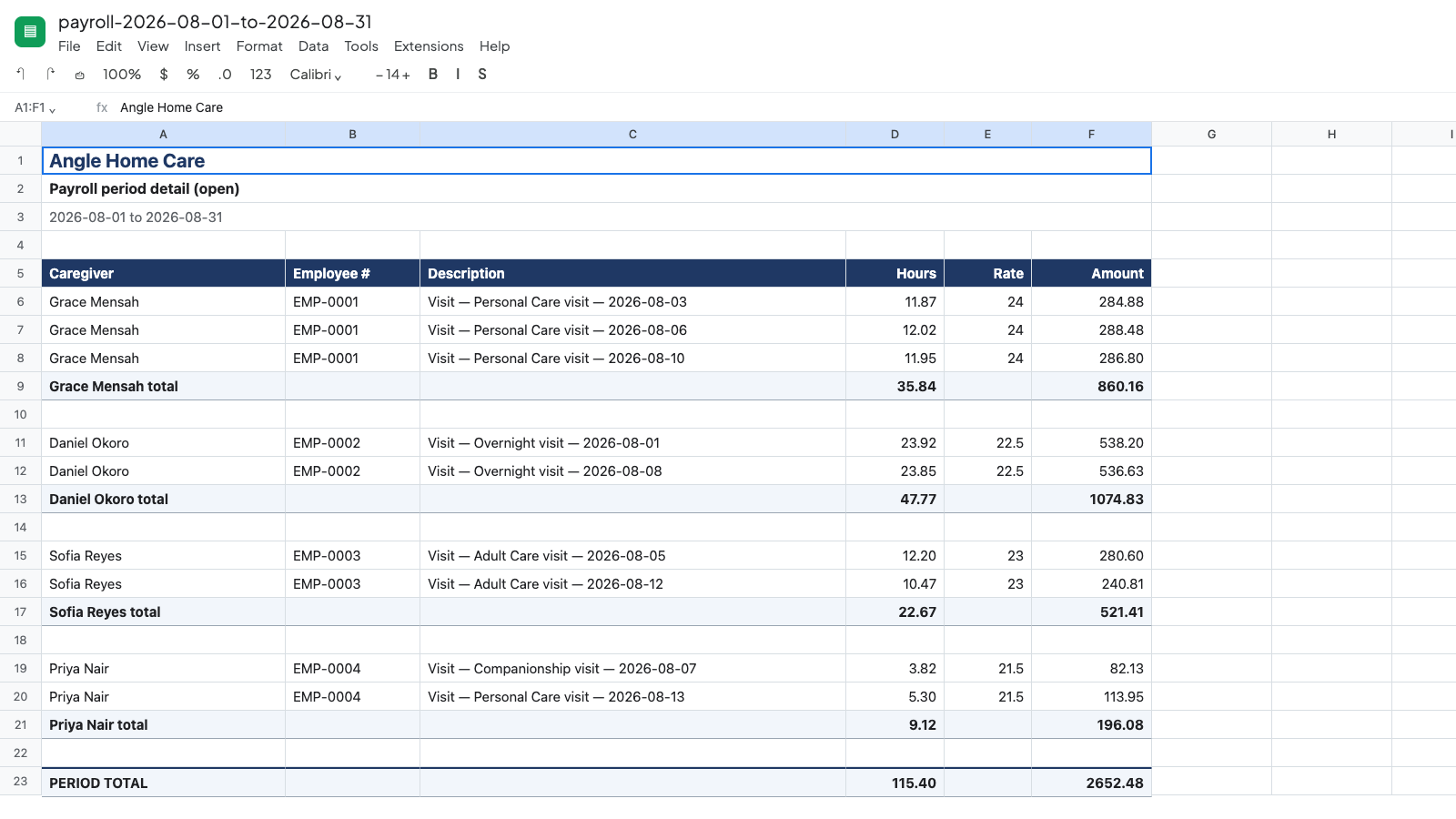
The export as it opens in Excel: agency name, a subtotal per caregiver, credits in red. Click to enlarge.
Exports
Ready for your payroll provider.
The pay run and the Caregiver hours report download as Excel workbooks with your agency name at the top, frozen headers and a subtotal per caregiver. Credits stand out in red on the pay run, and caregivers with missed visits in amber on the Caregiver hours report, so the exceptions are easy to check.
Carelyst prepares the pay run and the export; your payroll provider pays.
Common payroll questions.
No. Periods can never overlap, and a visit or travel entry already paid in one period is never paid in another.
The next open period picks it up, labelled carried forward.
Locked periods never change. From clock-ins, a corrected visit marks the locked period Adjust so you settle it on the next one. From the schedule, the next pay run carries the difference by itself.
Yes, when you bill from the schedule. The pay run counts the future shifts it is paying in advance, and any change is settled on the next run.
Recurring allowances, deductions and reimbursements are set per caregiver with an amount and start and end dates. They apply each period, ending the window stops the money, and they stop by themselves when a caregiver's record is archived.
Close this period without retyping a timesheet.
Start your 30-day free trialNo credit card to start · Cancel anytime · Invoices come from the same hours: see home care billing.