Credential tracking
Nothing expires by surprise.
Every renewable credential lives on the profile it belongs to: licenses, IDs, medicals, insurance, for caregivers, clients, physicians, and the office itself. Each carries its expiry date and a verification workflow, so "is this document real and current" has an owner and an answer.
- Reminders go out a set number of days before expiry and again on the expiry day, from a shared reminder list with per-profile control.
- The dashboard counts documents due for renewal; the compliance report lists everything expiring, with days left and already-expired flags.
- Caregivers see their own statuses in the app: Valid, Renew soon, or Expired, before it becomes a doorstep problem.
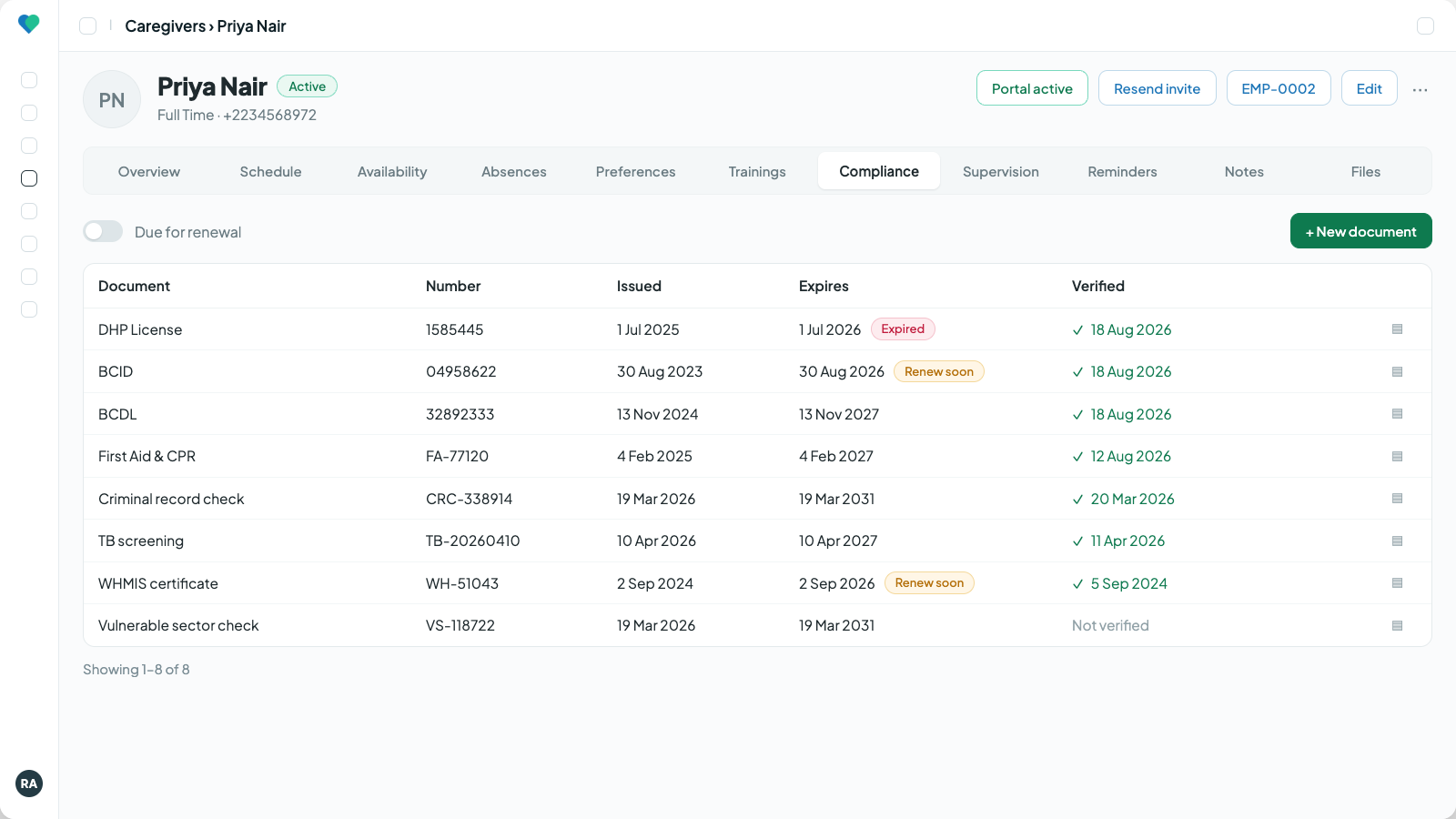
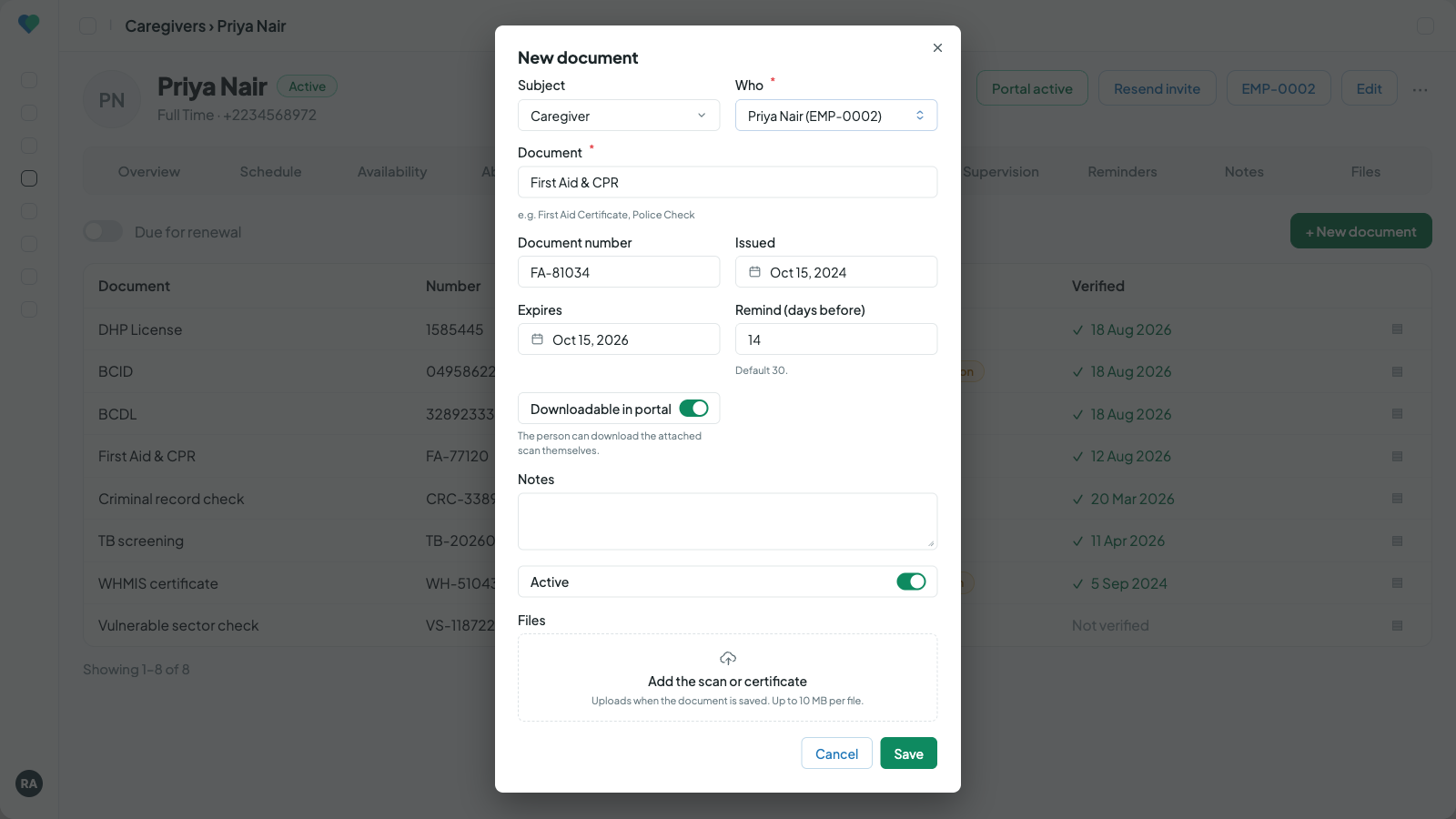
Credentials with expiry and verification, and the form for adding one. Click to enlarge.
In the app
Staff see their own documents.
Caregivers see their own documents in the app: each one with its status, Valid, Renew soon, or Expired, and the scans you choose to share, downloadable from the phone.
- Before anything expires, a push notification reminds the caregiver, and the office is reminded as well. Tapping it opens the screen for sending the renewal.
- Each document has its own switch for whether the caregiver can download the file, so sensitive scans stay office-only.
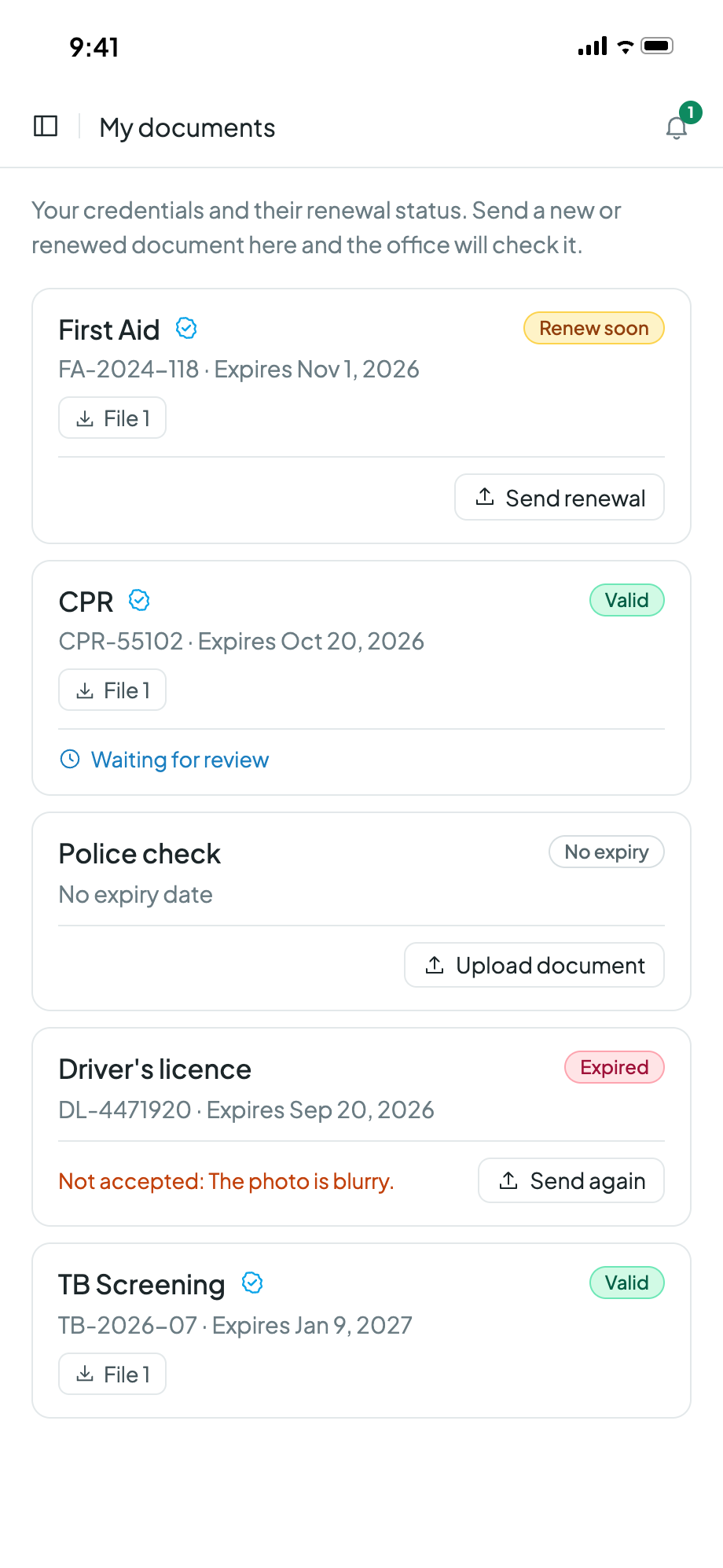
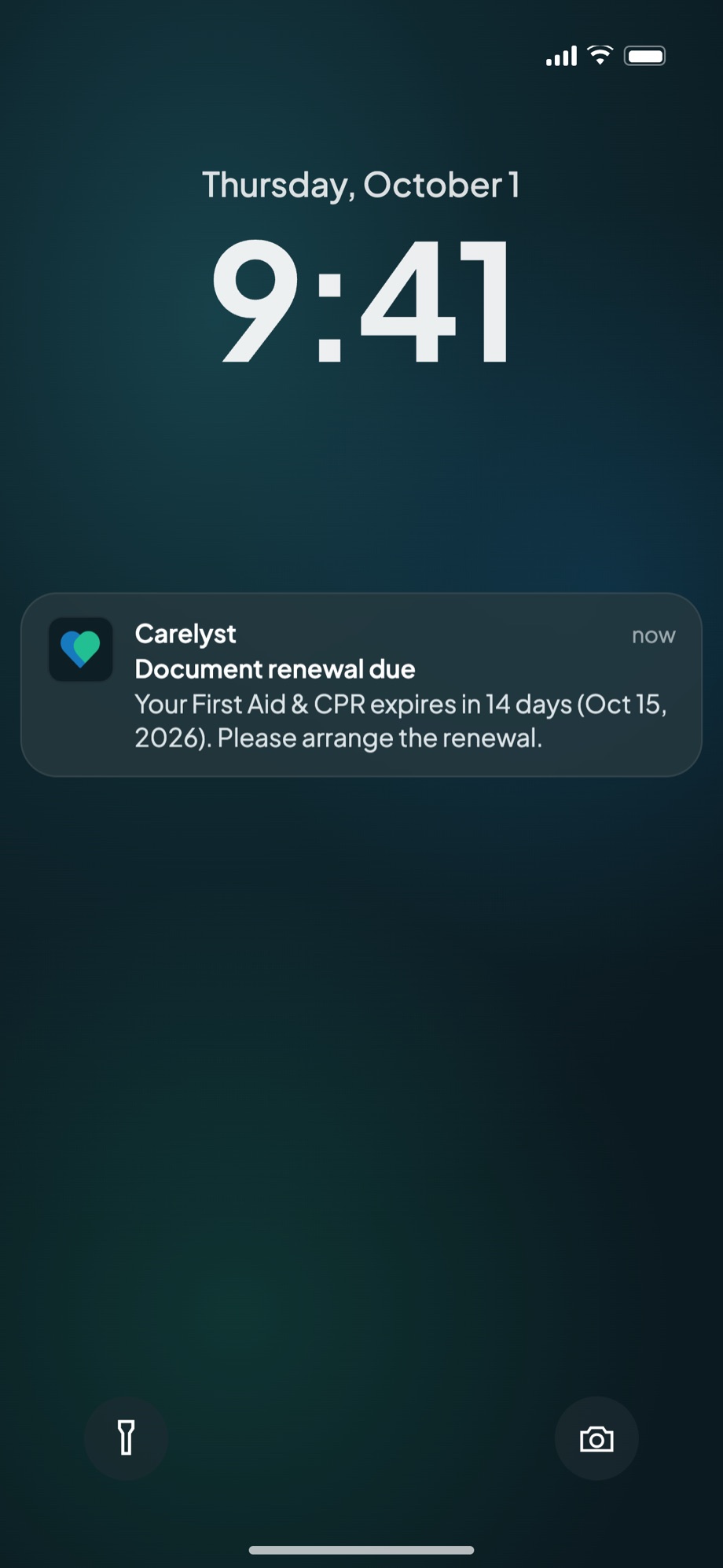
The caregiver's own document list, and the reminder that arrives before anything expires. Click to enlarge.
Document renewals
Renewed documents arrive from the app. The office approves them.
When a certificate is renewed, nobody has to chase a photo by text or email. Caregivers send it from the caregiver app, family members send client documents from the family app, and it waits for the office to check it before anything on the record changes.
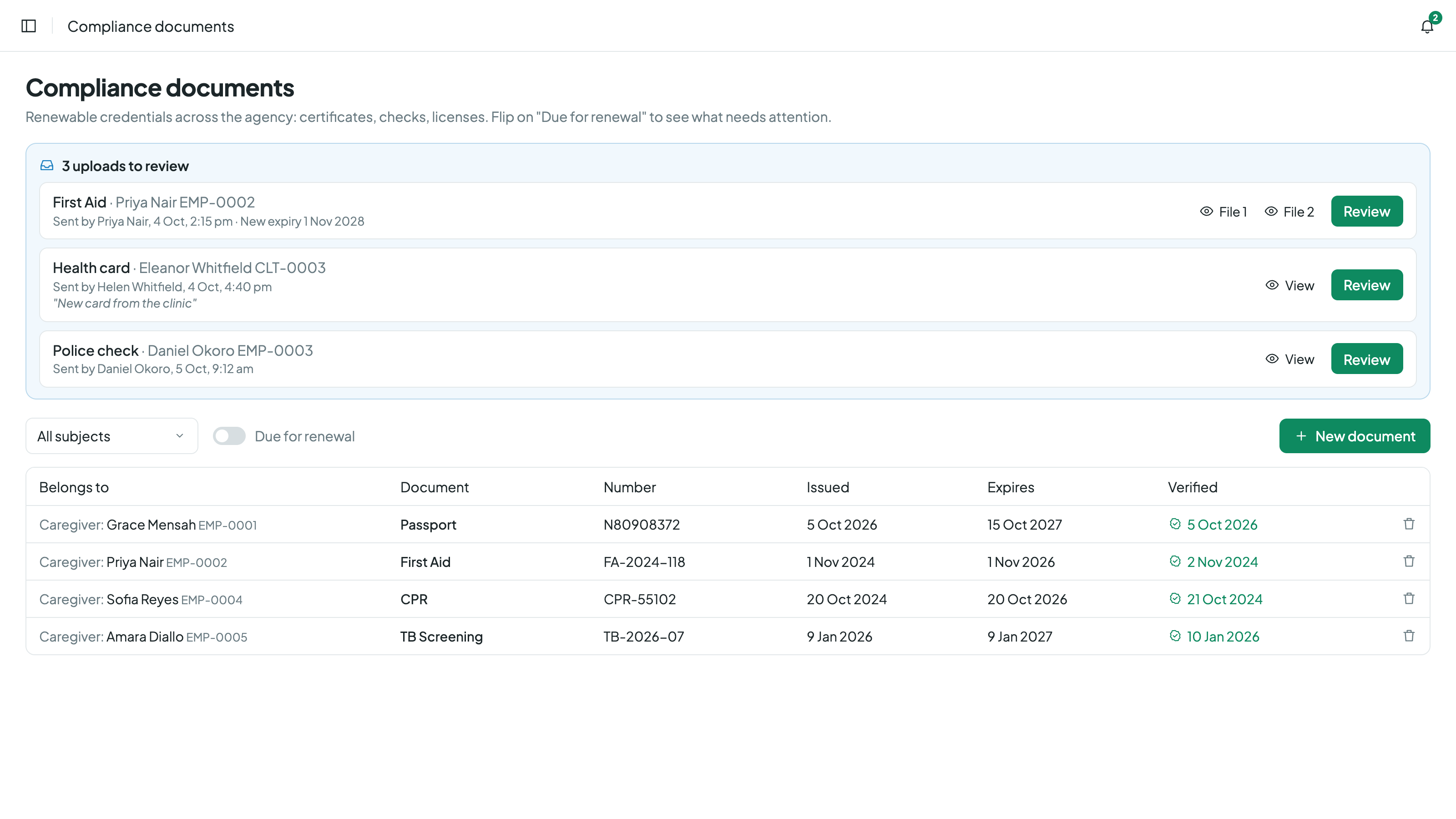
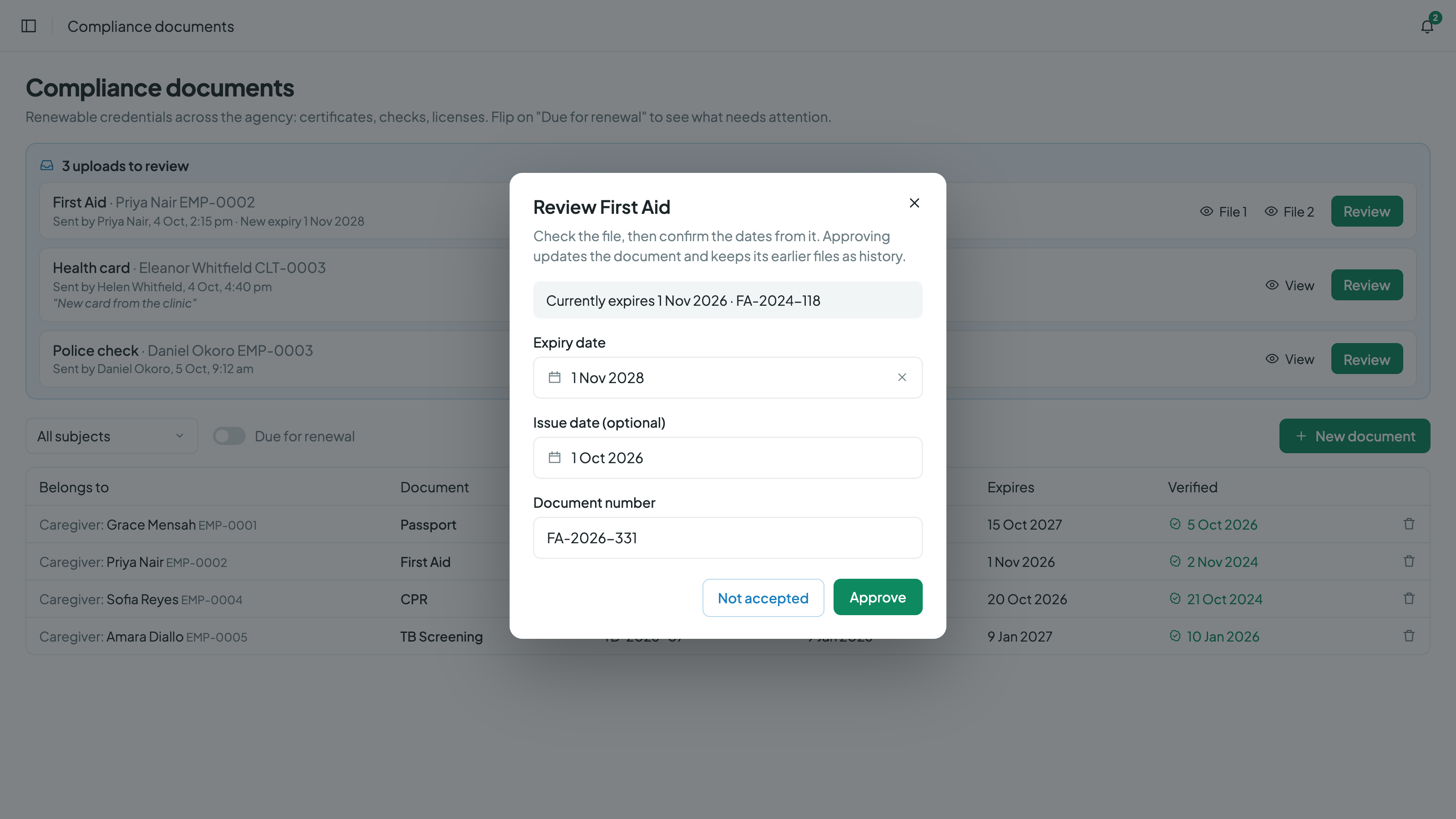
Uploads waiting for review, and the review itself. Click to enlarge.
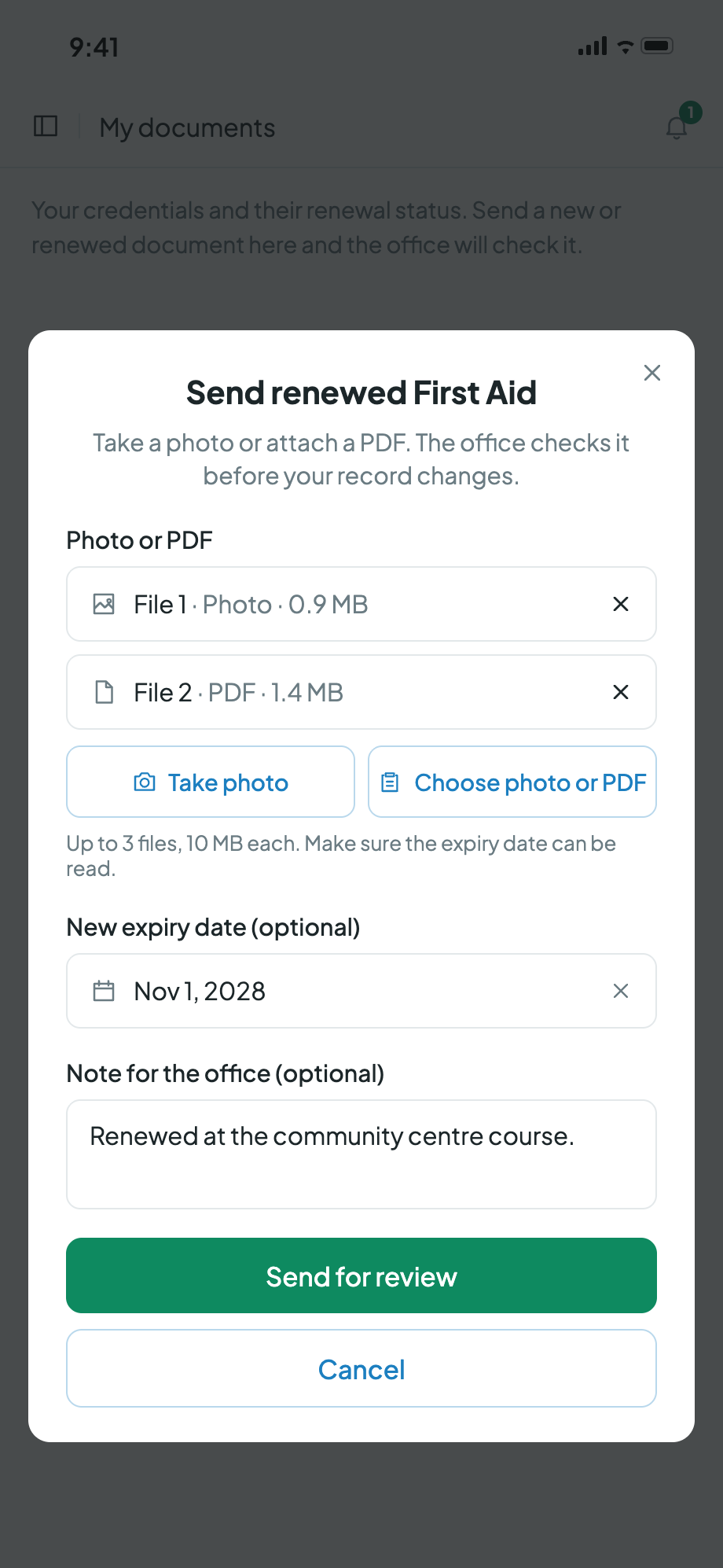
Sending a renewal from the caregiver app. Click to enlarge.
Send
Take a photo or attach a PDF, up to three files, with the new expiry date and a note if needed. This works for renewals and for a first copy the office has asked for.
Review
The Compliance page and the caregiver's or client's Compliance tab show how many uploads are waiting. The office opens the files and confirms the expiry date, document number and issue date.
Approve or decline
Approving updates the dates, marks the document verified and keeps the earlier files as history. Declining asks for a reason and deletes the upload. The sender is notified either way and can send again.
- Family members only see, and can only send, the client documents the office has shared with them.
- Uploaded files are stored privately and are only ever opened through your agency's own secured links.
- If your agency needs to see originals on paper, app uploads can be switched off in Settings, under Modules.
The rest of the record
Everything an auditor might ask for, already filed.
Care plans with history
Plans are versioned, and each visit snapshots its task names at the time of care. Editing a plan later never changes what a past visit says was done.
Trainings and supervision
In-service training records, supervision records, and supervisory visit records live on the profiles they belong to, with notes and categorized attachments.
Histories that cannot be rewritten
Assignment history is append-only with reason codes, schedule changes close old patterns instead of editing them, and visit corrections require a stated reason with who and when.
Reports that leave the building well
The compliance expiry report, daily summaries, and the registers export as styled Excel workbooks, letterhead included, ready to hand over without an afternoon of cleanup.
When something does go wrong, the report, review, and read-only closure live on the incident management page.
Common compliance questions.
Every renewable credential carries its expiry date, and reminders go out a set number of days before it and again on the expiry day. The dashboard counts documents due for renewal, the compliance report lists everything expiring across caregivers and clients with days left, and the caregiver's reminder opens straight to the screen where they can send the renewed document.
Yes. From the caregiver app they take a photo or attach a PDF, up to three files, and can add the new expiry date and a note. Nothing changes on the record until someone in the office reviews the upload and approves it.
Yes, through the family app, for the client documents the office has shared with them. The same review applies: the office checks the files and approves or declines before anything on the client's record changes.
App uploads can be switched off for the whole agency in Settings, under Modules. Expiry tracking and reminders keep working, and the office records renewals itself.
Caregivers, clients, physicians, and the office itself. Licenses, IDs, medicals, insurance, anything renewable: each with expiry tracking and a verification workflow.
No. Care plans are versioned, and each visit snapshots its task names at the time of care. Editing the plan later, or the master task list, never changes what a past visit says was done.
Yes. In-service training records, supervision records, and supervisory visit records live on the profiles they belong to, with notes and categorized attachments, alongside the credentials.
Walk into the next inspection already ready.
Start your 30-day free trialNo credit card to start · Cancel anytime