Two ways to count hours
Pick the one that matches how you already bill.
You choose once, when you set up the agency. During your trial you can still switch.
Bill what was worked
From clock-ins
Caregivers clock in and out, and the invoice carries the time actually worked.
- Each completed visit is one invoice line and is billed once, even when two people generate at the same moment.
- Turn on verified visits only, and nothing unchecked reaches an invoice. On-time visits verify themselves.
- Correct a visit after invoicing and the invoice is marked Stale, so nothing changes quietly.
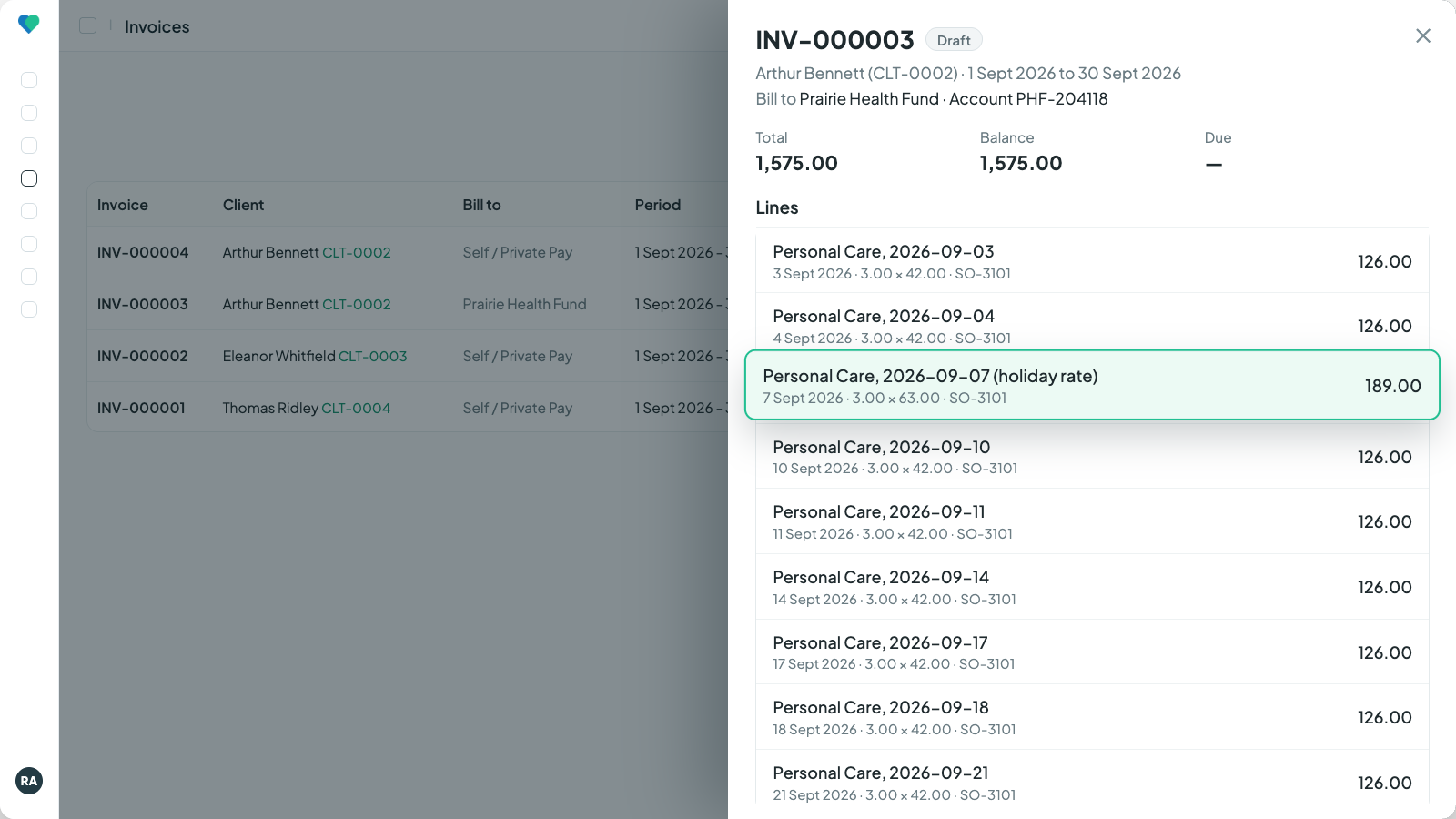
A draft with one line per visit and the holiday rate applied. Click to enlarge.
Often chosen by agencies whose visits vary in length, and by those whose funders pay for verified time.
Bill what was planned
From the schedule
The shifts on your schedule are what you bill, in advance if you like. Clock-ins are kept as a record.
- Bill the month on the first: every planned shift, one line each.
- A sent invoice is never rewritten. Changes ride on the next invoice as credit or debit lines, naming the invoice they correct.
- Before anything is written, the run shows how many shifts it will bill, the credits and debits, and what is on hold.
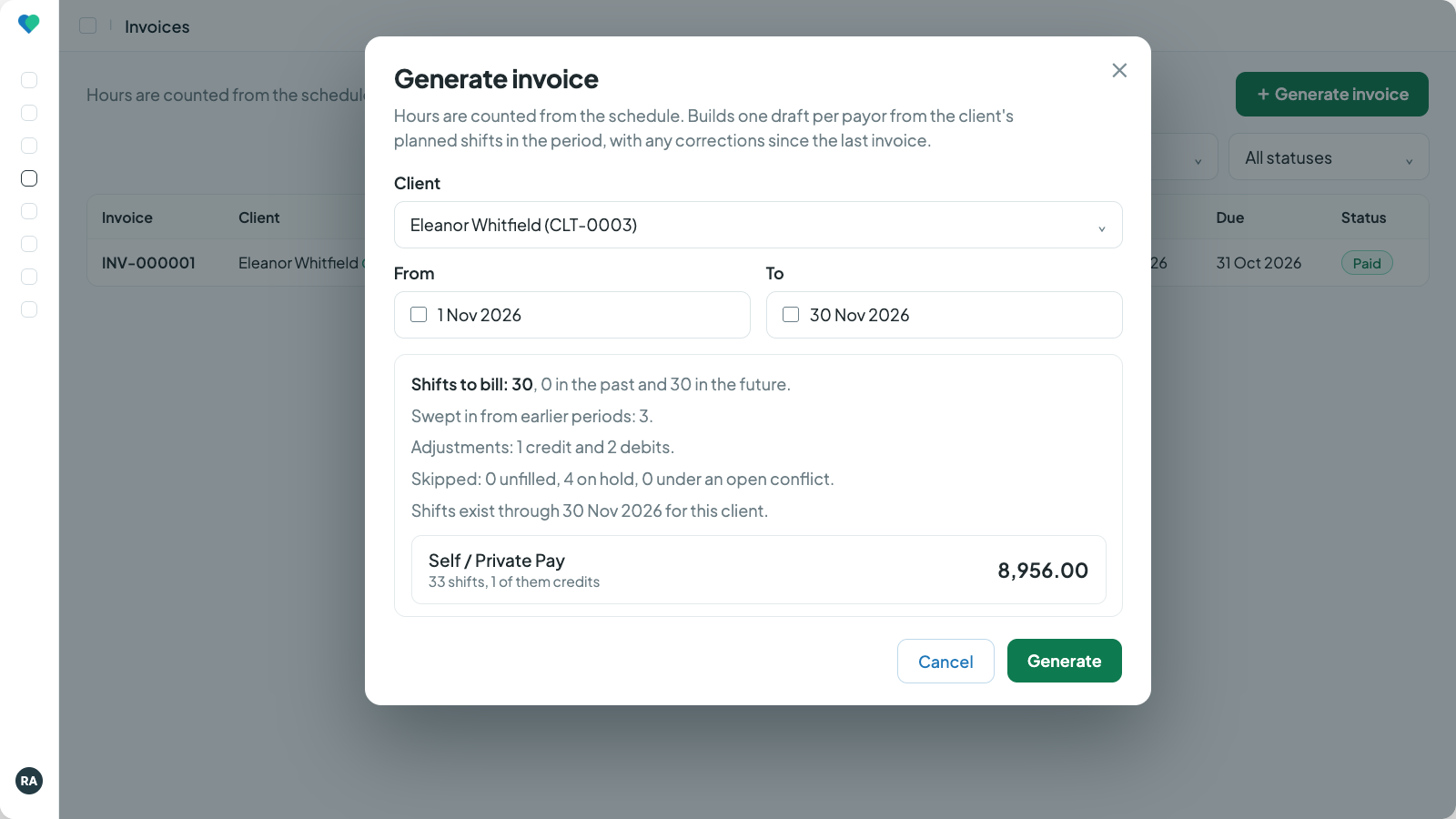
The run before it writes anything: shifts to bill, credits and debits, and what is on hold. Click to enlarge.
Often chosen by agencies that bill an agreed care plan or package, contracted weekly hours, the month in advance, or live-in and 24-hour care.
From clock-ins
From completed visits to sent invoices in one click.
Pick a client and a period. Every completed visit not yet invoiced becomes a line with its date, hours and rate, priced from the service order or the service's own rate, with your holiday rate on holiday dates. A client with funded and private hours gets one draft per payor.
- Each visit is billed once: a second invoice can never pick it up.
- With verified visits required, unchecked work stays off the invoice and generating over it tells you how many visits still await verification.
- A line with no rate is flagged the moment the invoice is generated.
- Visits on an invoice that has been paid or part paid cannot be corrected.
- When delivered hours on an order pass its authorized hours, the new invoice says so.
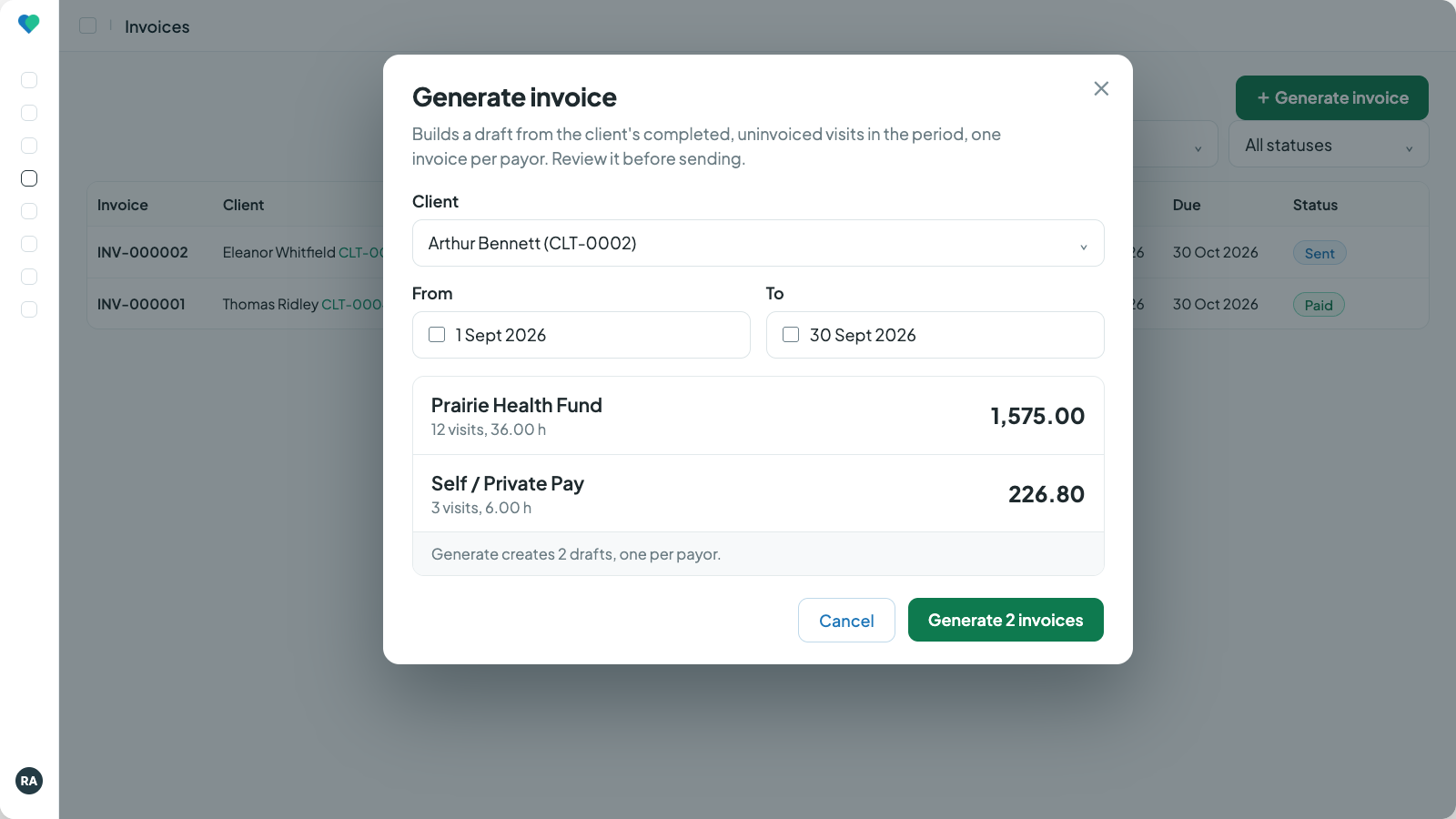
One click, one invoice per payor. Click to enlarge.
From the schedule
Bill the month in advance. Settle the changes next time.
Plan the schedule
Build the shifts on the schedule. What is on the calendar is what gets billed.
Bill in advance
On the first, invoice the whole month, past and future shifts, one line each.
The month happens
A hospital day, a holiday added late, a longer visit, a client away on holiday. The sent invoice stays as it is.
The next run settles it
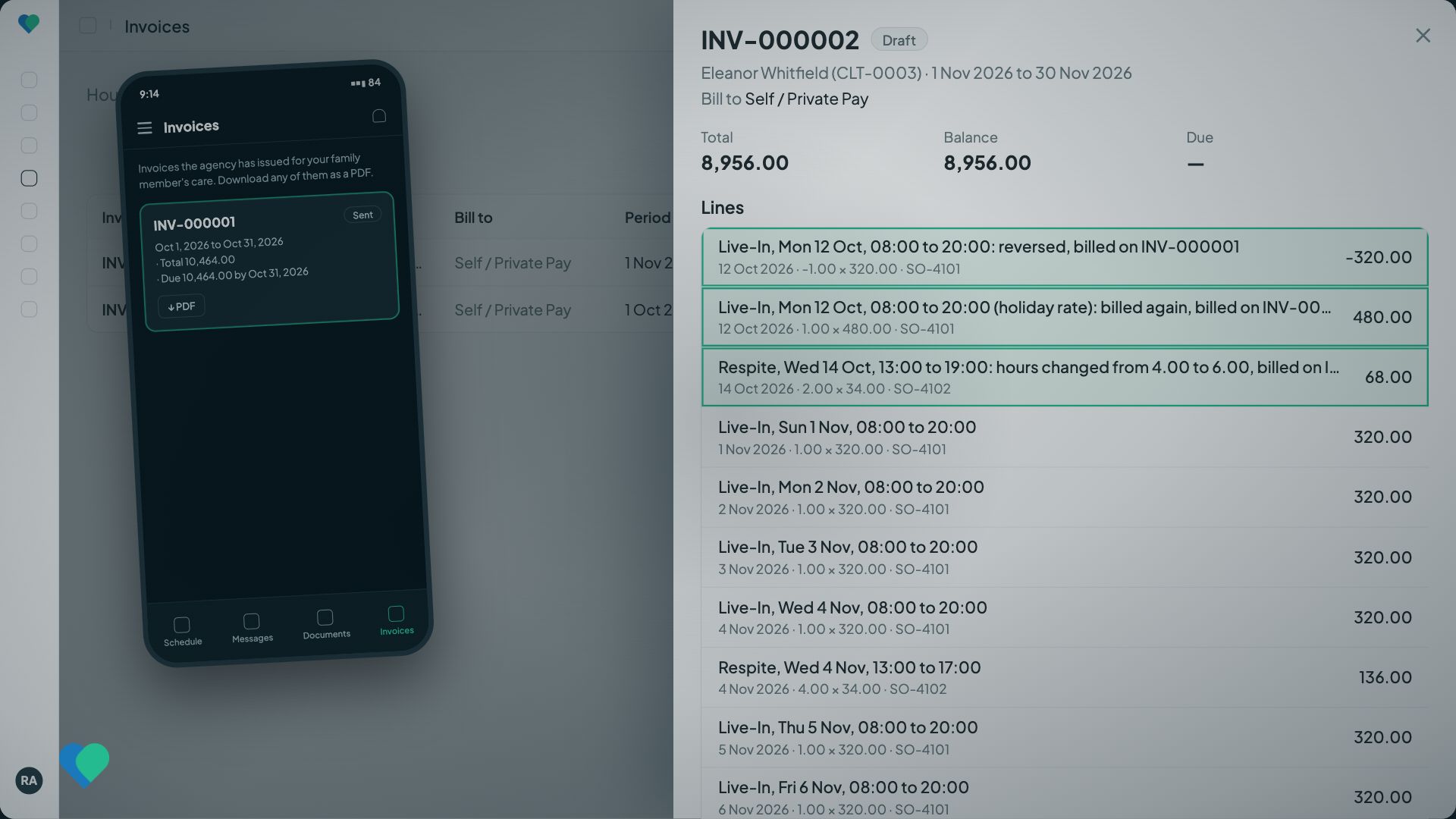
Each change becomes its own line on the next invoice. Shifts on hold are skipped; a month that nets to a credit carries it forward.
Next invoice, corrections first
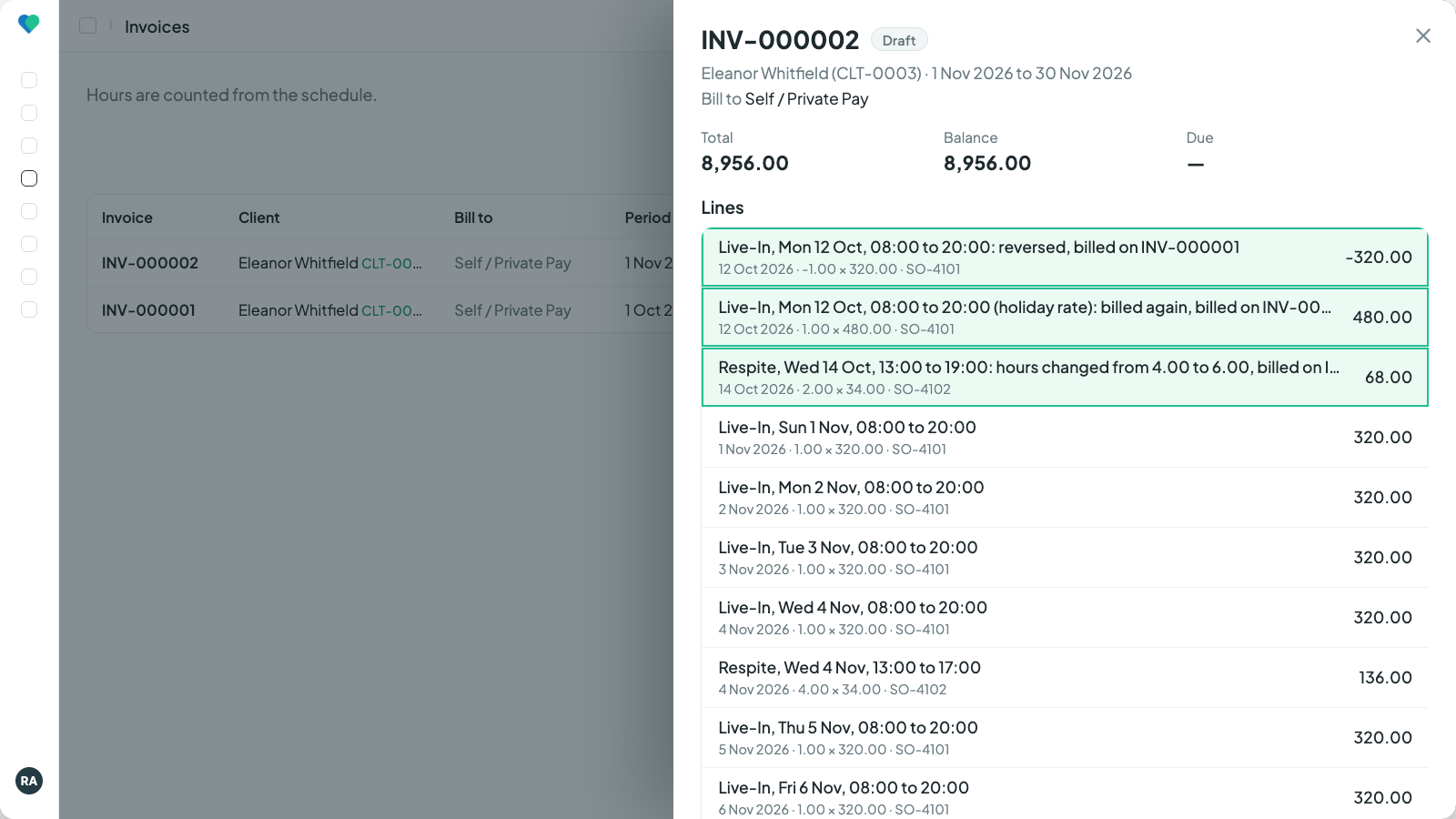
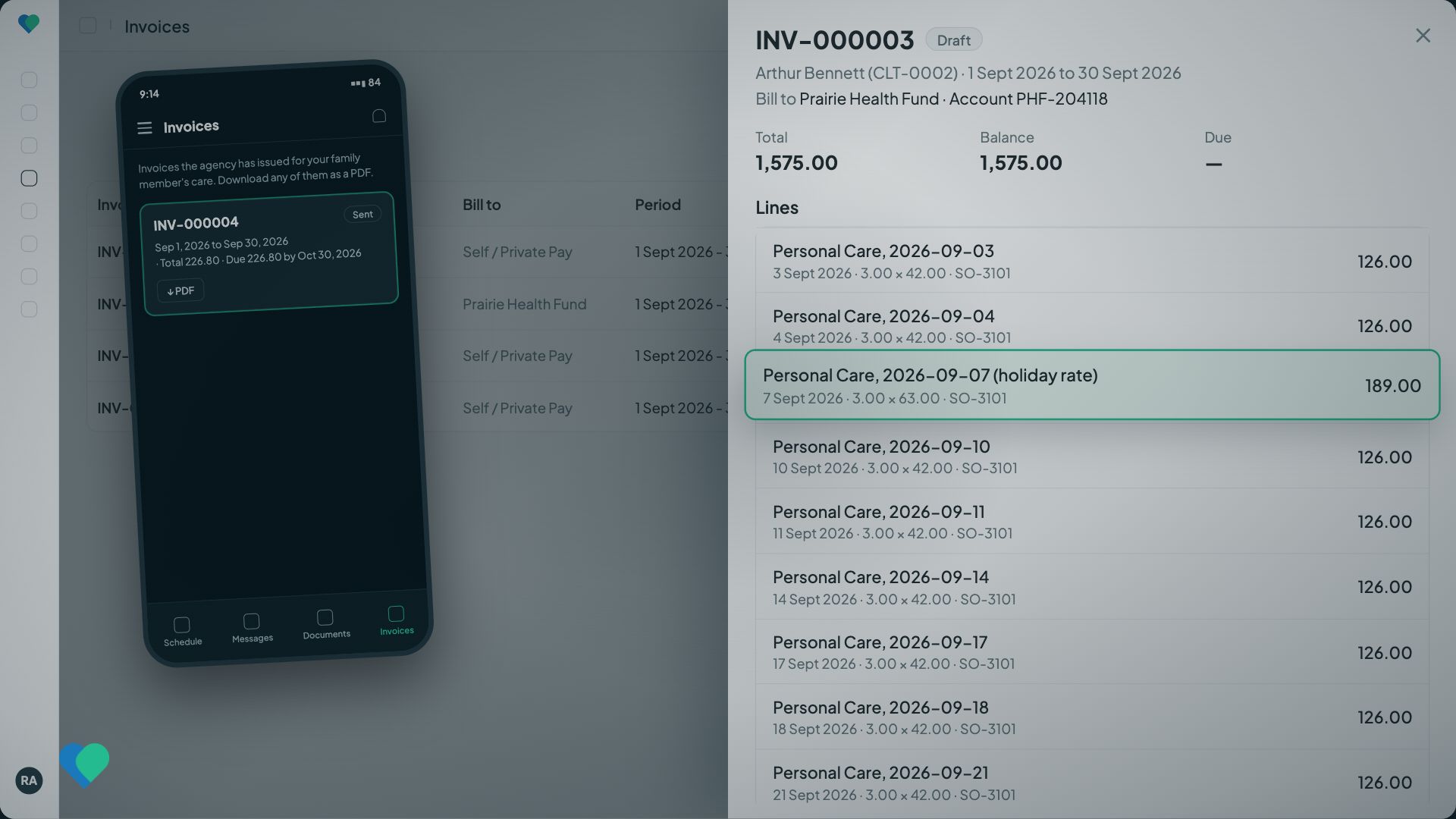
Every correction names the invoice it changes. Click to enlarge.
Every invoice, either way
Ready to send the moment it is generated.
One invoice per payor
A funder's invoice carries the client's account number with that funder, and an Order column when it spans more than one order. Private hours never land on it.
Your sales tax
The tax lines you enter, charged only on services you mark taxable, with your registration number printed.
Holiday rates, set once
A multiplier on the holiday applies to every visit or shift on that date. Your policy, applied for you.
Extra lines with a reason
Add a late cancellation fee or a reduction to a draft. A reason is required and kept with the name of who added it.
Sent in your agency's name
The PDF goes out with your logo and how to pay, and replies come to your billing email. Families see their private invoices in the family app.
Payments that keep the balance
Cash, cheque, bank transfer, card or insurance remittance. Partially paid and Paid follow on their own, and a payment typed twice asks first.
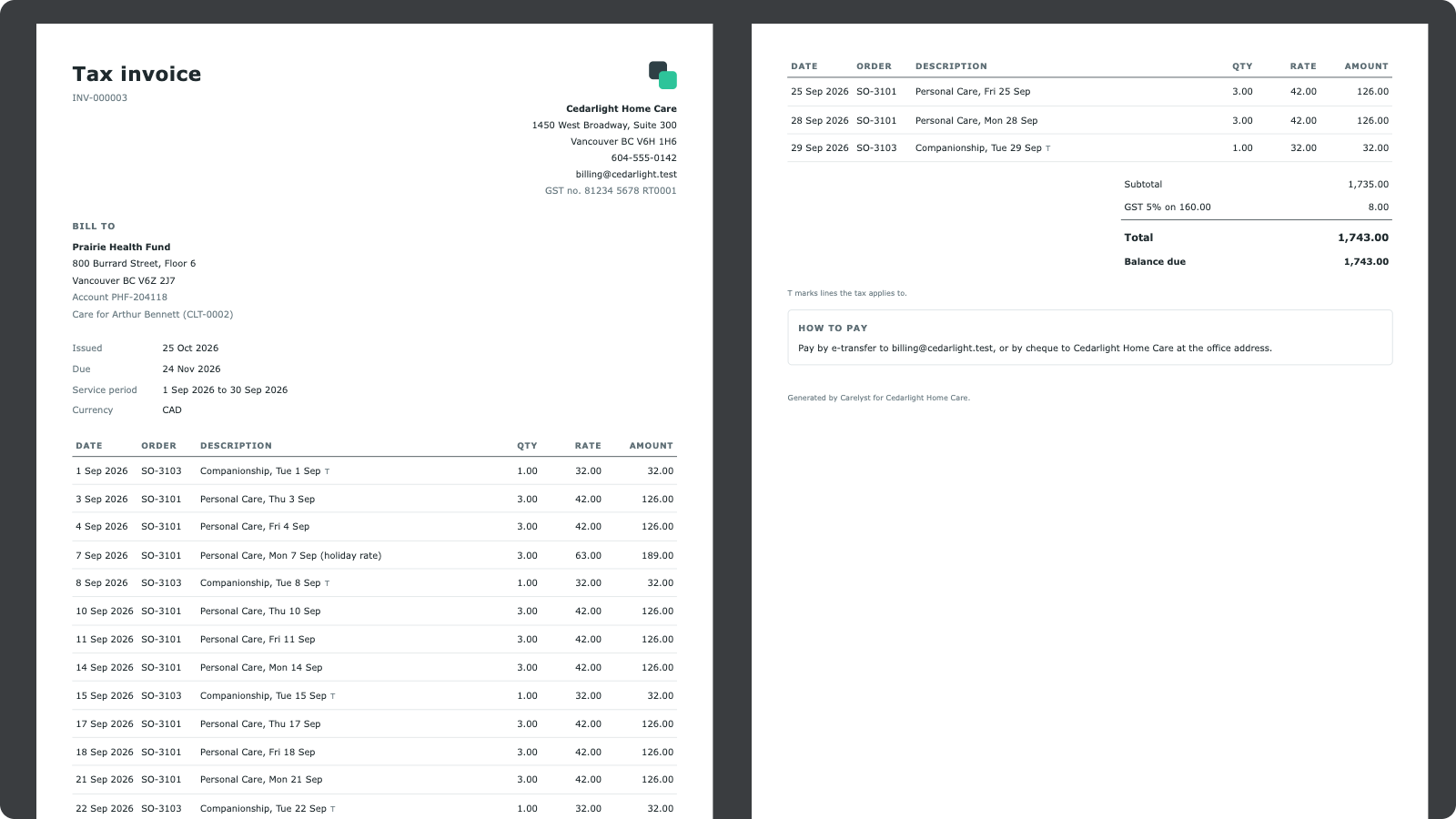
The PDF: logo, account number, Order column, GST with your registration number, totals and how to pay. Click to enlarge.
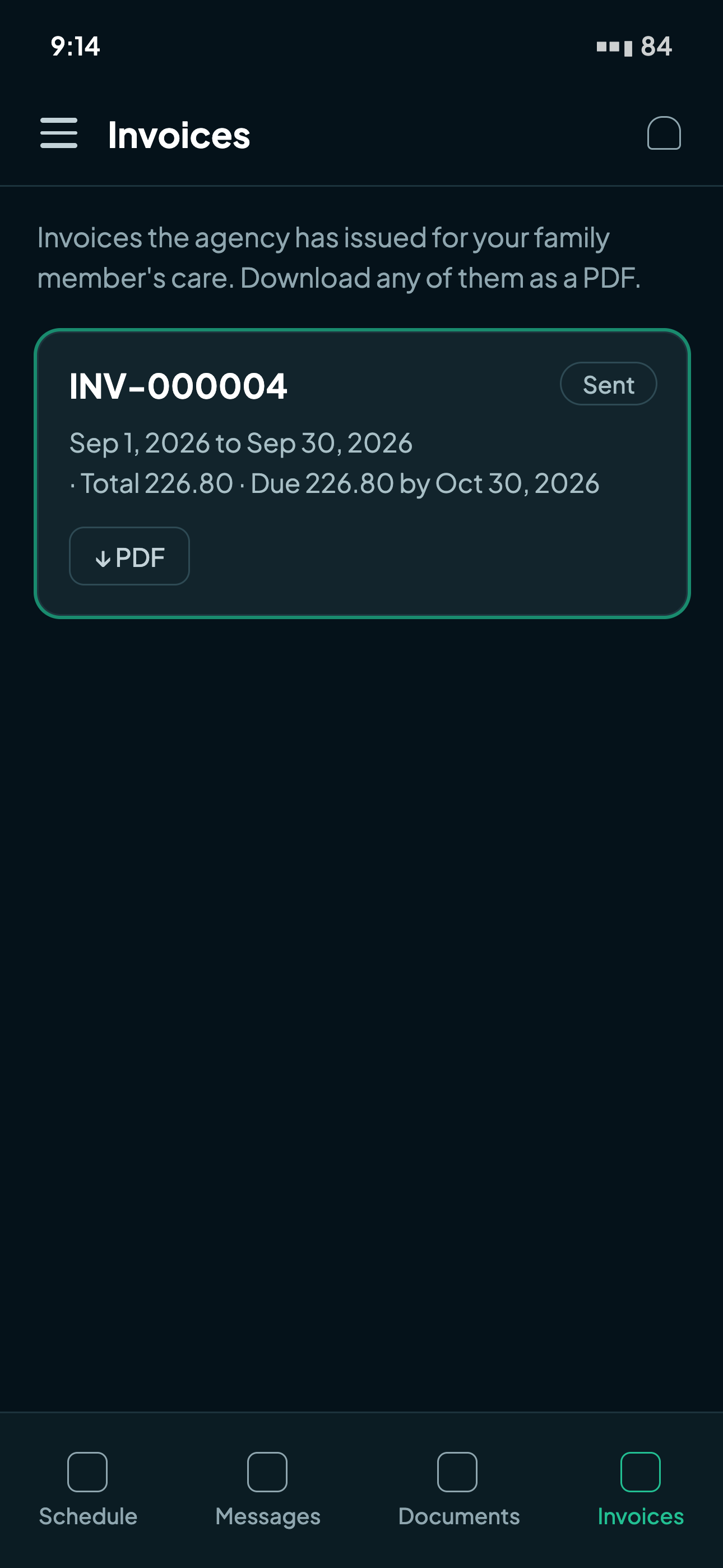
The family app Invoices list with the PDF button.
Exports
Ready for the accountant.
QuickBooks ready
Invoice and customer exports are shaped for the QuickBooks Online import, with client numbers keeping two clients of the same name apart.
The billing variance report
Per client, scheduled hours against actual hours, with invoiced amounts beside them. The period-end check that answers "did we bill what we delivered".
Bounded and filterable
Reports take a date range and filter before they download, so what leaves the system is what you asked for.
Common billing questions.
Bill from clock-ins if you invoice the time actually worked. Bill from the schedule if you invoice the agreed plan: a care package, contracted hours, a month in advance, or live-in care. One agency runs one way, chosen at setup.
No. From clock-ins, each visit can sit on one invoice only, enforced by the database. From the schedule, every run compares what a shift is worth with what was already billed, so a shift is only billed again for a real change.
Yes, when you bill from the schedule. Future shifts are billed as planned, and anything that changes rides on the next invoice as a credit or a debit.
Nothing is rewritten. From clock-ins, the invoice is marked Stale so you can void it and generate again. From the schedule, the next invoice carries the difference, naming the original.
During your trial, yes: Carelyst removes your test invoices and pay runs first. Once you subscribe, the choice is fixed as soon as the first invoice or pay run exists.
Yes. Invoice and customer exports are shaped for the QuickBooks Online import, with client numbers keeping same-name clients apart.
Run this month's invoices in an afternoon.
Start your 30-day free trialNo credit card to start · Cancel anytime · Pay runs come from the same hours: see home care payroll.