Who this is for
Attendance where the day actually starts and ends.
Most homecare software assumes every caregiver carries a smartphone with a data plan, and for many agencies that is simply not true. Some caregivers work without one. Other agencies drive their teams to clients themselves and want attendance recorded where the work really happens: at the office and in the vehicle, not on a personal phone.
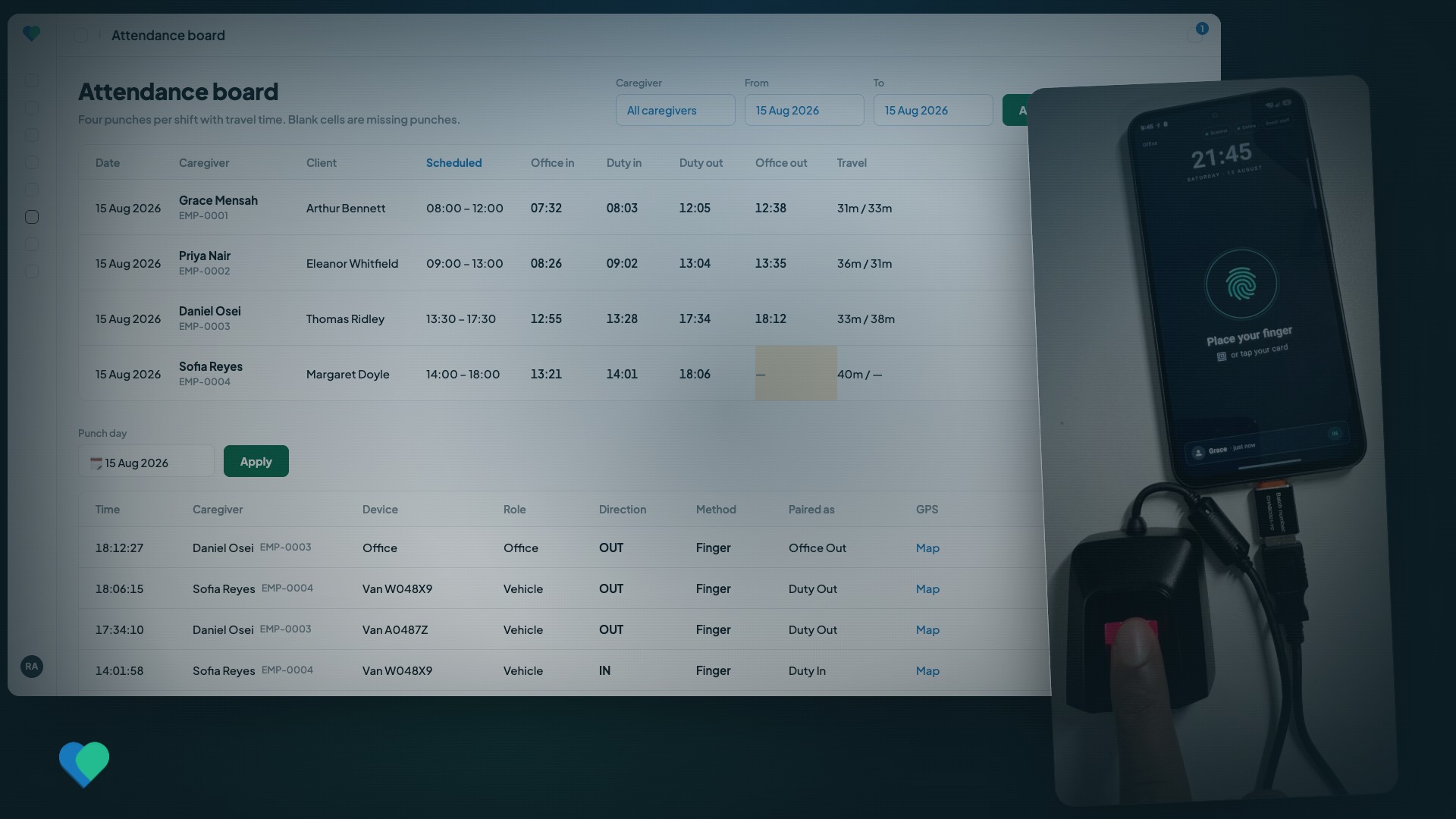
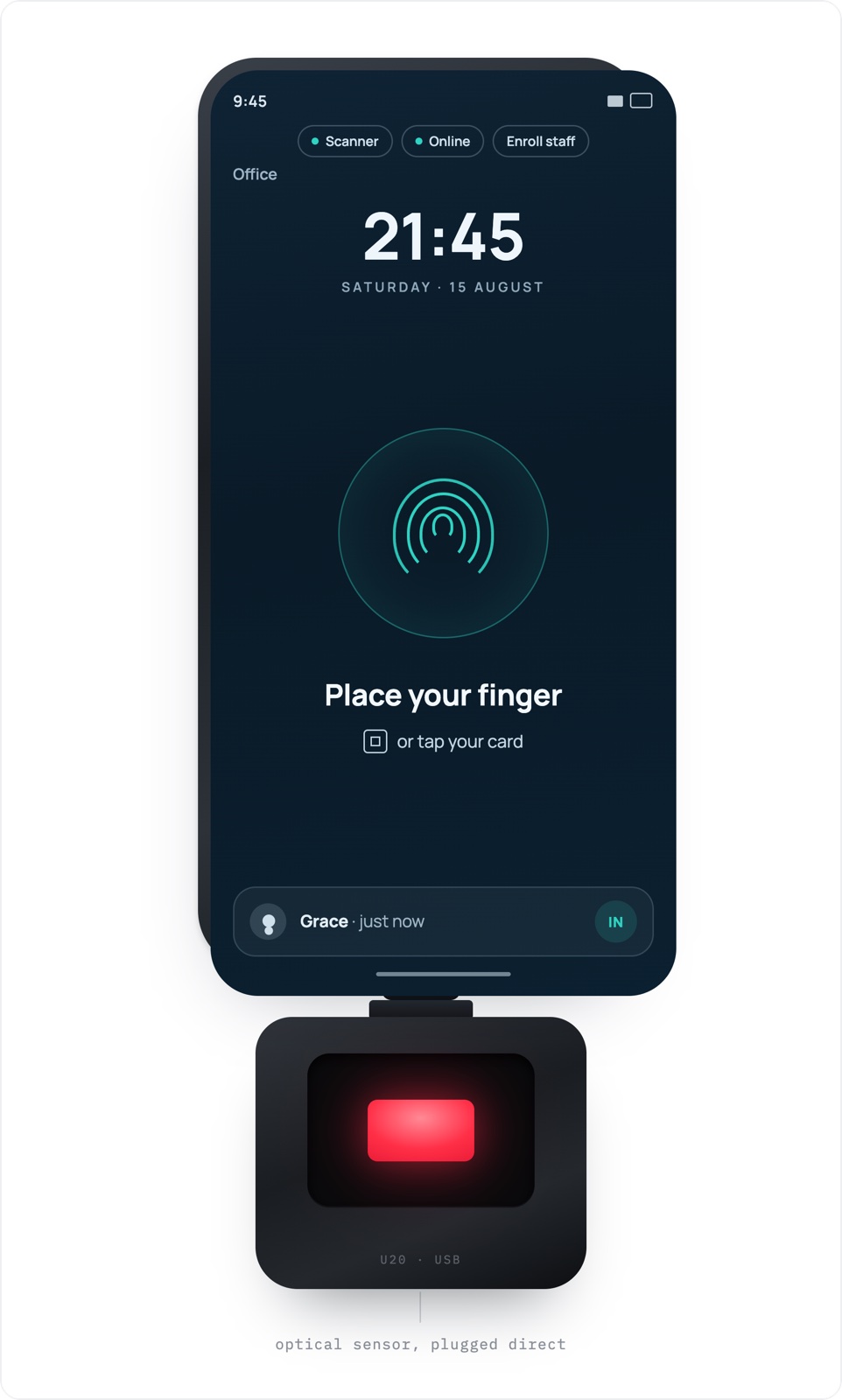
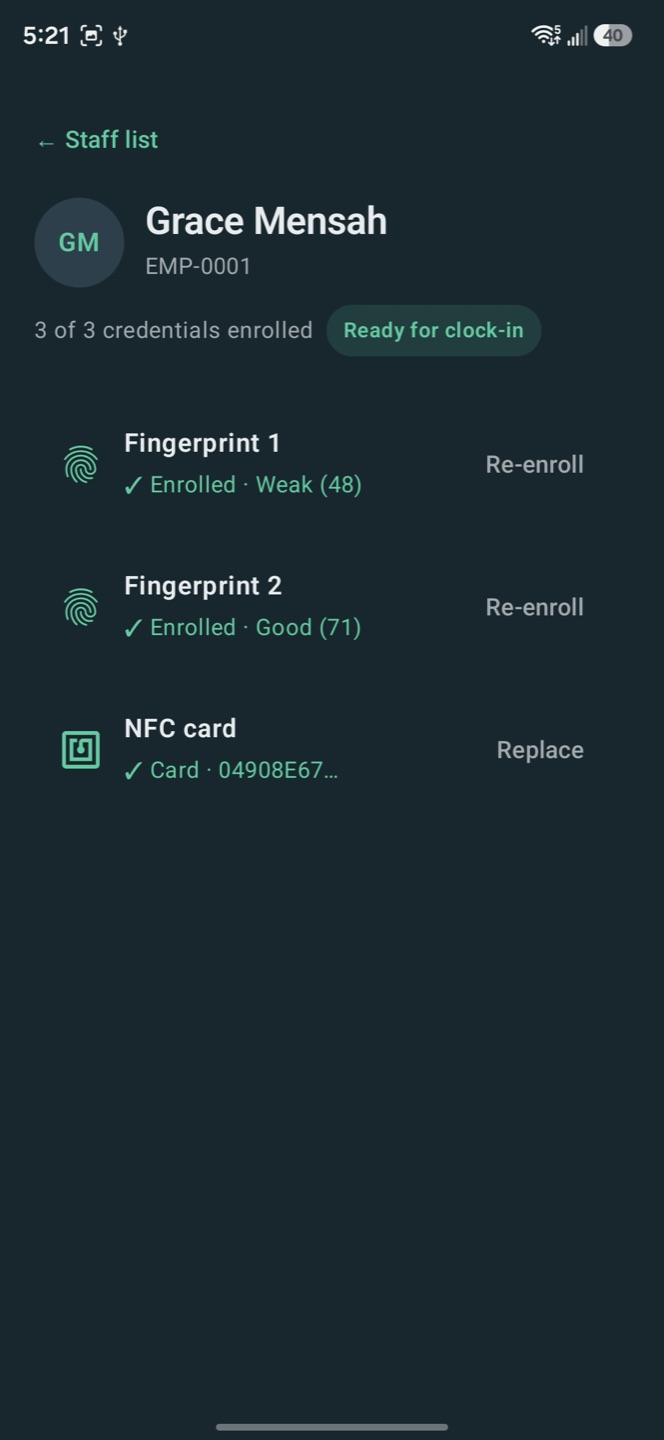
The kiosk covers both. Each site gets one shared Android phone with a fingerprint scanner and a set of staff cards. A caregiver presses a finger or taps a card, the enrolled person's photo and a chime confirm the punch, and the next person steps up. Nobody signs a sheet, nobody types a code, and the queue moves in seconds.
The four-punch day
Four punches, and the day explains itself.
Office in
The day starts at base. The first punch is made on the office phone before the team heads out.
Duty in
Arriving at the client, the caregiver punches in on the vehicle phone. The first duty-in stands; a repeated scan never moves it.
Duty out
When care ends, the caregiver punches out. If someone punches out again later, the last punch counts.
Office out
Back at base, the final punch on the office phone closes the day.
The two duty punches become the visit, verified biometrically, and flow into billing and payroll like any other verified visit. Travel time is measured from the gaps between office and duty punches, never self-reported. And a punch that matches no scheduled visit does not disappear: it stays on the attendance board as unclaimed until somebody explains it.
Setup
Running in an afternoon.
The hardware is ordinary: any recent Android phone and a SecuGen Hamster Pro 20 scanner that plugs into its charging port. Everything else happens in the back office and on the phone itself.
- Pair each phone with a one-time code from the back office. Revoking a device signs it out at its next contact with the server.
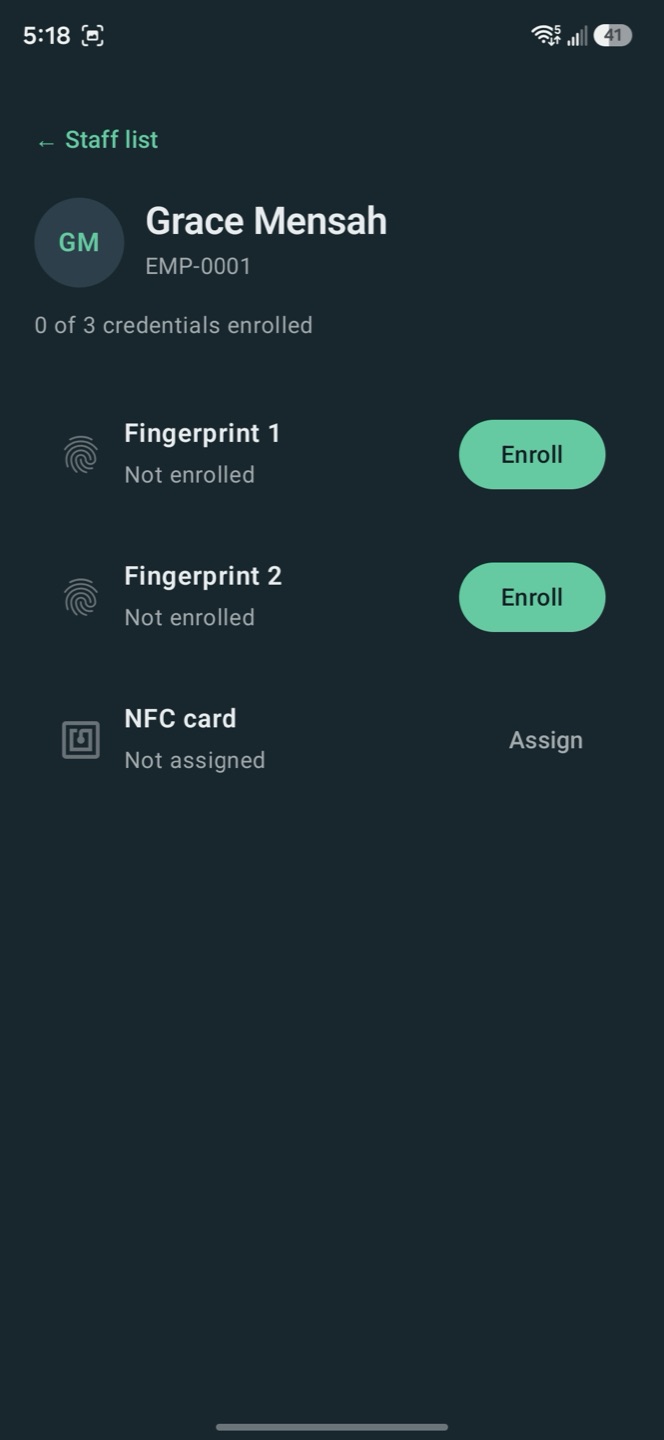
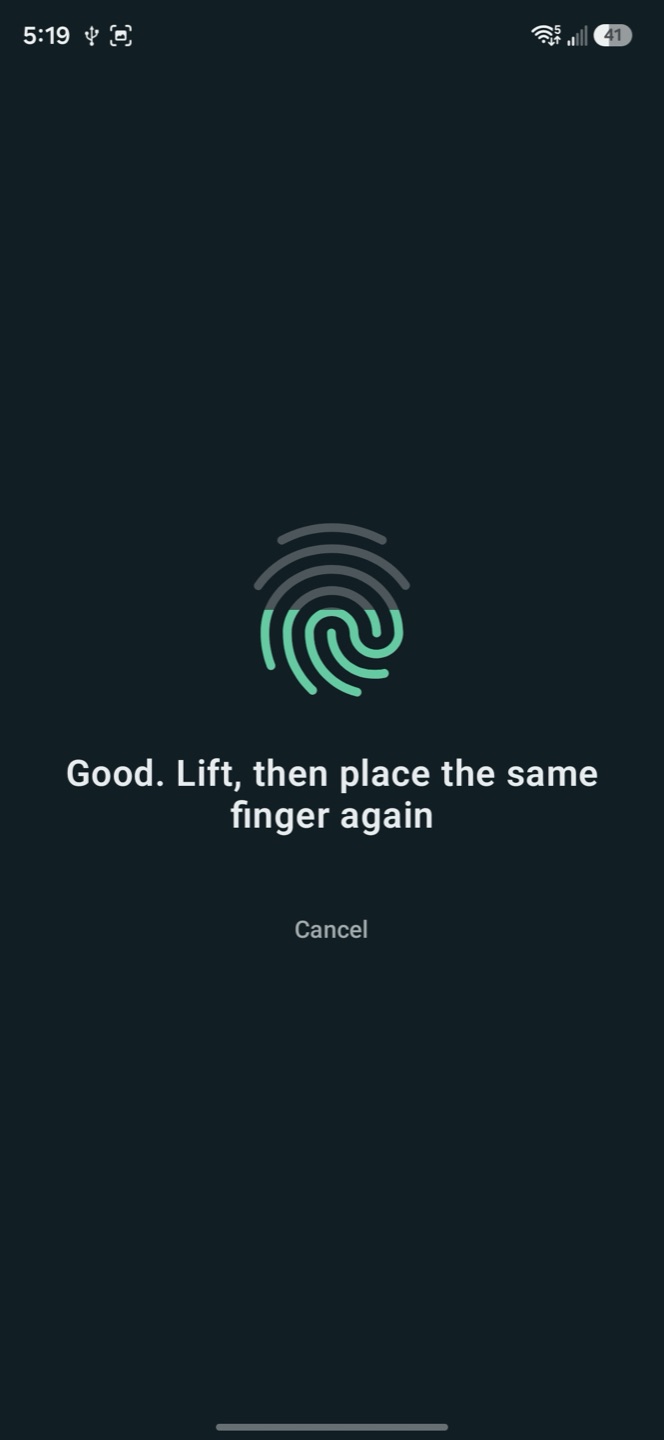
- Enrollment is manager-gated: a manager signs in with their own Carelyst login before any fingerprint is captured.
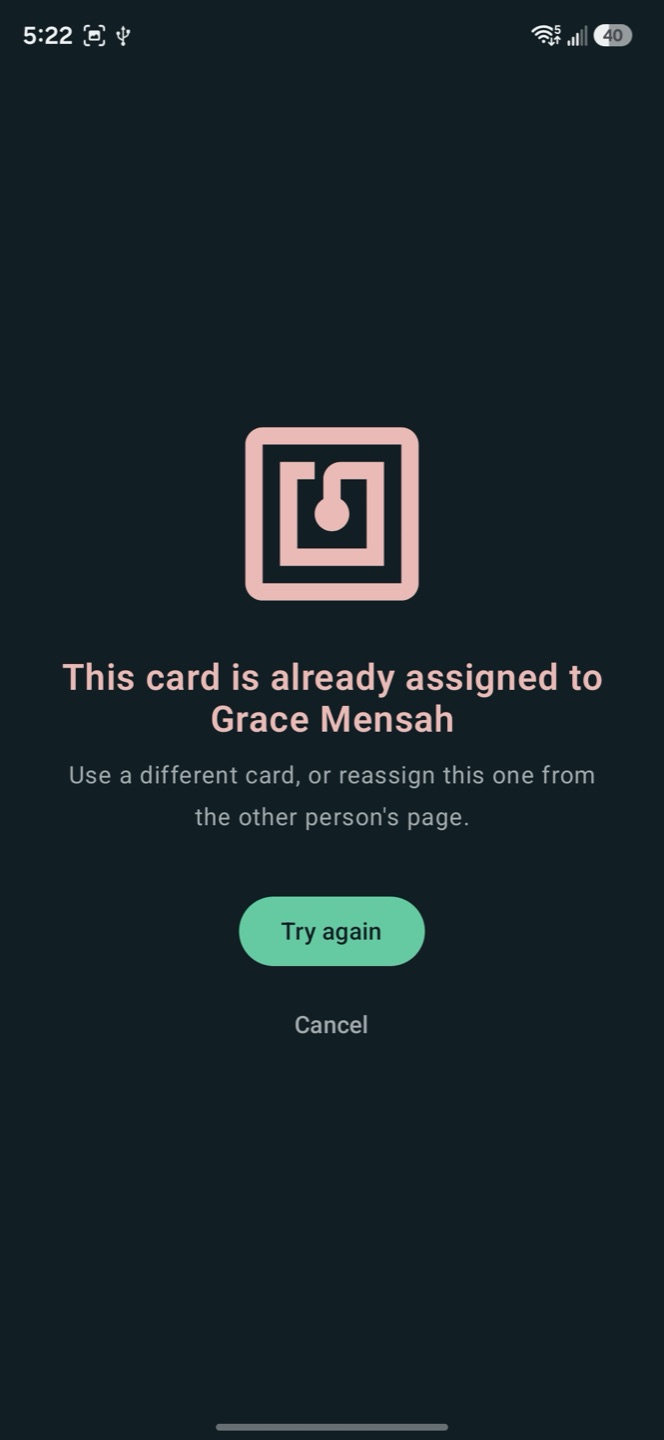
- Two fingerprint samples per person, each quality-checked, with a duplicate check that refuses a finger already enrolled to someone else, by name.
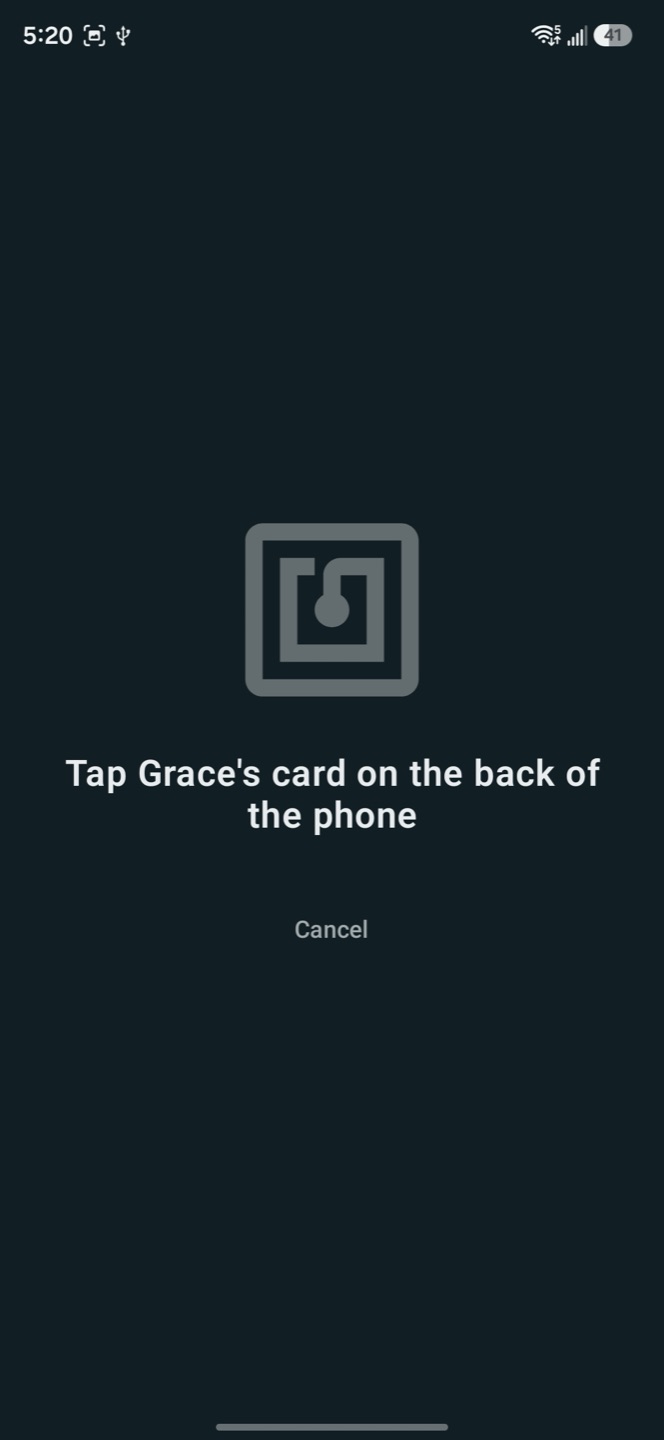
- Staff cards assign with a tap and can only belong to one person at a time.
- Phones are interchangeable: what a device's punches mean comes from its current assignment, so swapping a phone between vans never touches history.
Accountability
Seven questions the punch record answers.
Agencies that transport or house their care teams carry obligations most software never thinks about. This is what strict attendance makes provable.
Care time matches purchased time
The hours a client pays for are the hours the record shows, with no informal overruns quietly absorbed by the agency.
The day starts and ends at base
Office punches are recorded on the office device, so an off-site start appears as a missing punch, not an explanation after the fact.
Every hour belongs to a scheduled visit
Hours worked outside the schedule surface the same day as unclaimed punches, so diverted labor cannot stay invisible.
A fingerprint cannot be lent
Hours signed by a friend end here. Every punch is made by the person it belongs to, and their photo appears on screen for anyone watching the queue.
Travel time is measured, not reported
The gaps between office and duty punches are the travel record. Nobody estimates their own drive.
Revenue cannot leak
Invoices generate only from verified visits, and staff time sold outside the books shows up as unaccounted hours instead of disappearing.
Duty of care, documented
For teams the agency houses and transports, the punch record proves when each person reported in and reported out, every day.
Biometrics
Fingerprints, handled properly.
- The scanners' sensors are certified under the FBI's PIV image-quality standard: purpose-built identity hardware, not consumer parts.
- A fingerprint is converted into a mathematical template on the spot. The image itself is discarded immediately and can never be reconstructed.
- Matching happens on the phone. Fingerprint data is not sent anywhere to perform a match.
- Templates are encrypted on the device and encrypted again in the agency's own database, which is never shared with other companies.
- Enrollment requires the caregiver's express consent, and a card, GPS, or manual clock-in is always available instead.
- Removing an enrollment deletes the template from the database and from devices at their next sync.
The complete commitments are written down on our PIPEDA & PIPA BC and Privacy Policy pages.
Offline & oversight
Built for places with no signal.
Punches are stored on the phone the moment they happen and upload when a connection returns; a van can stay offline for days without losing anything. The phone's clock is checked against the server, so changing the time on a device cannot move a punch.
Back at the office, coordinators see the whole operation:
- The attendance board: every four-punch day with travel minutes and mismatch flags.
- A raw punch browser with a map link on every punch that has a location.
- On the kiosk itself, managers see who is enrolled and who still needs it, with a filter for the gaps.
- Device health at a glance: last seen, clock drift, and punches waiting to upload.
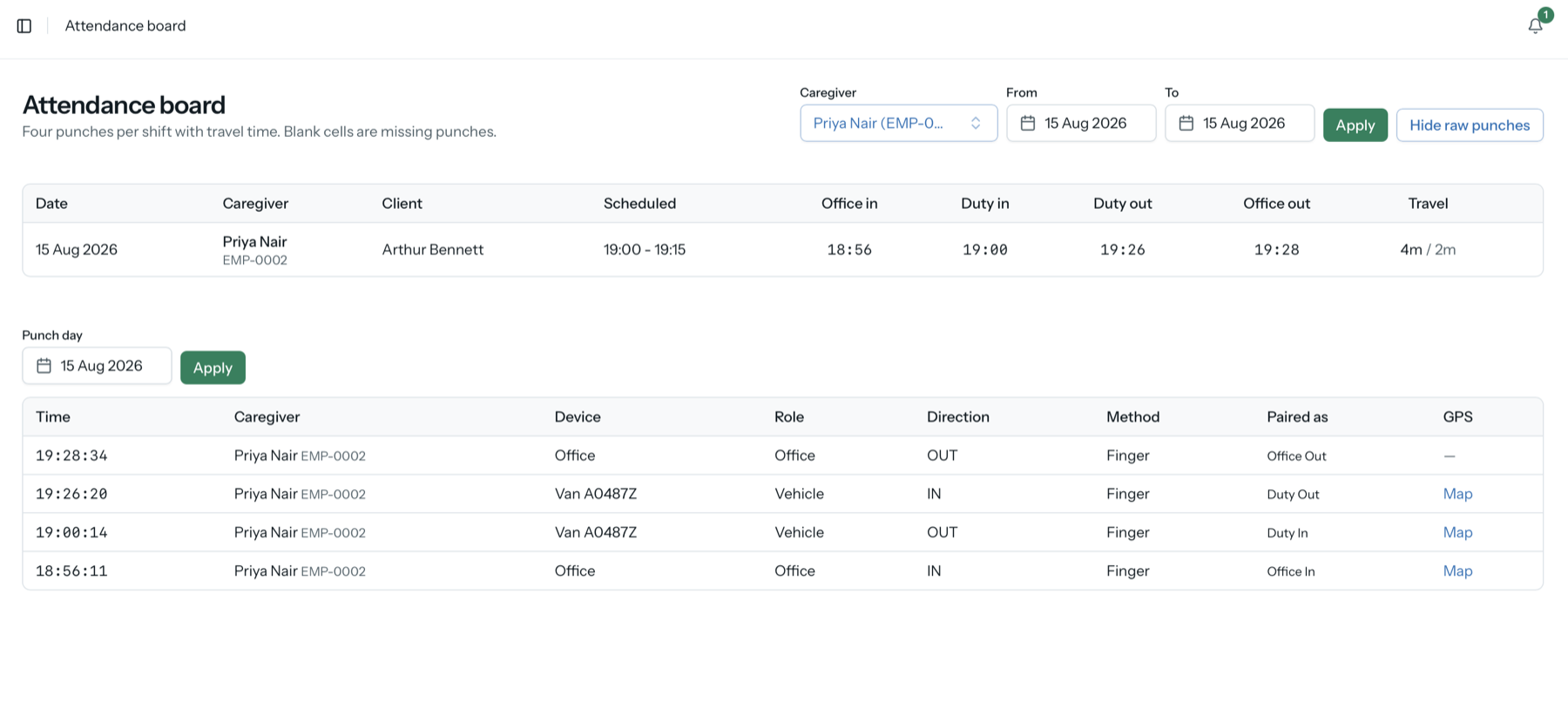
The attendance board shows each four-punch day with its travel minutes, and every raw punch underneath it.
Questions
Asked before every kiosk rollout.
Any reasonably recent Android phone, a SecuGen Hamster Pro 20 fingerprint scanner that plugs into its charging port, and a pack of staff cards if you want them. One phone per site is enough, and phones can be swapped between vans without losing any history. Typical prices are on the hardware and costs page.
Enrollment requires the caregiver's express consent, and it is never the only option. A caregiver who declines can clock in with a staff card, or with the regular Carelyst app and its GPS verification.
Punches are stored on the phone the moment they happen and upload when a connection returns. A van can stay offline for days without losing a single punch.
Punches themselves are never edited. When something goes wrong, the office corrects the visit with a stated reason, and the correction is logged. The raw punches stay exactly as recorded, as evidence.
Put a kiosk in your office and your vans.
Try the whole product with your own team, kiosk included.
Start your 30-day free trialNo credit card to start · Cancel anytime · Watch the kiosk video on YouTube