The whole workday, on the phone already in their pocket.
Shifts, offers, clock-in with proof, chat, care checklists, and documents: the Carelyst app on iPhone and Android, with nothing to buy and nothing to hand out.


Free for caregivers and families · Your agency sets up your access
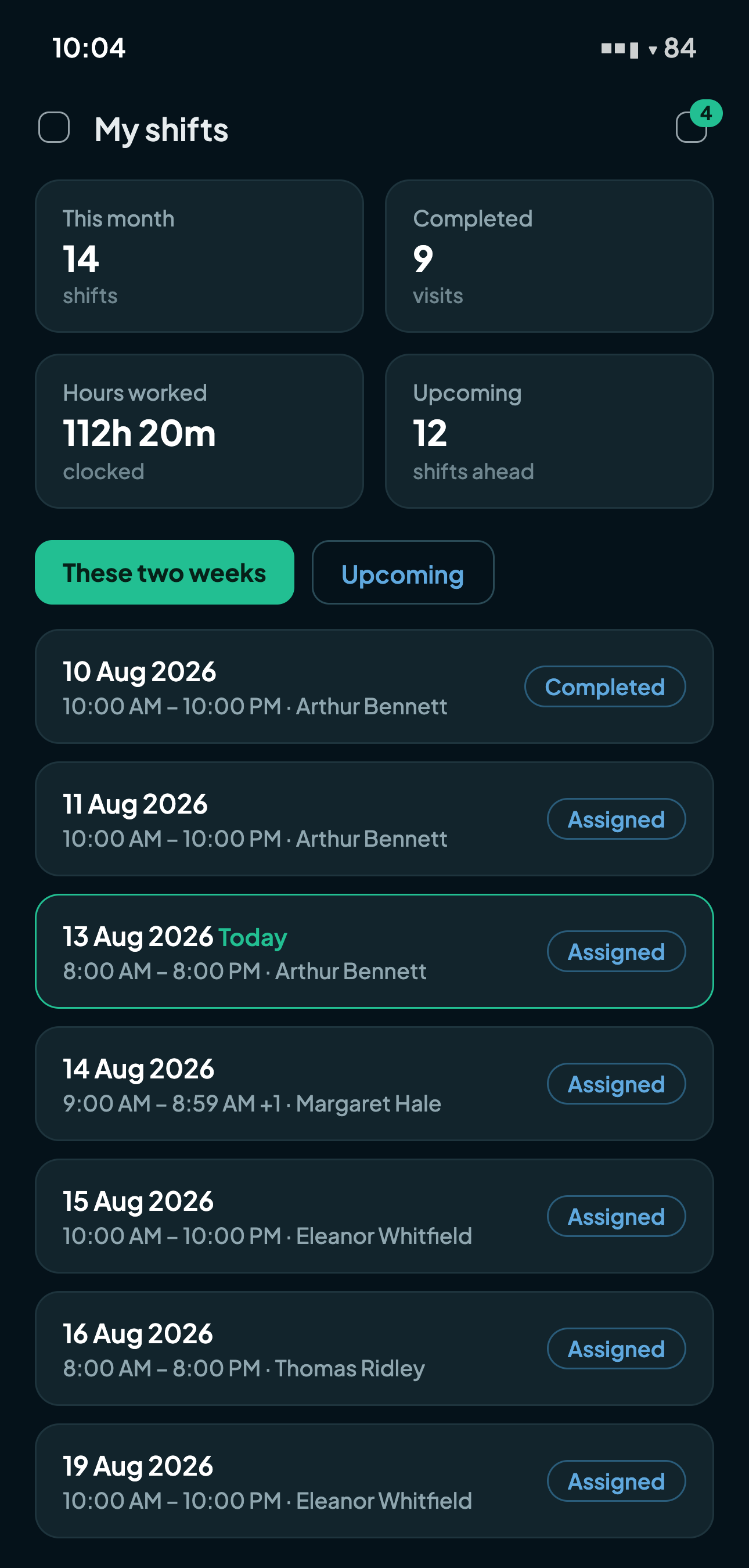
My shifts
Today is always at the top.
The schedule opens on what matters now: today's visits highlighted, the week ahead below. Opening a shift is the whole workflow: clock in with proof, work through the care-task checklist, answer the wellness questions, add a visit note, and clock out.
- Whenever a visit is in progress, a banner pins to the top: "You're clocked in at Arthur since 5:31 PM." One tap finishes the visit, no hunting through dates.
- At tagged homes, clock-in offers the tap at the door; everywhere else, GPS carries the proof.
- Punches are offline-safe: a retry after a dead spot can never duplicate a visit.
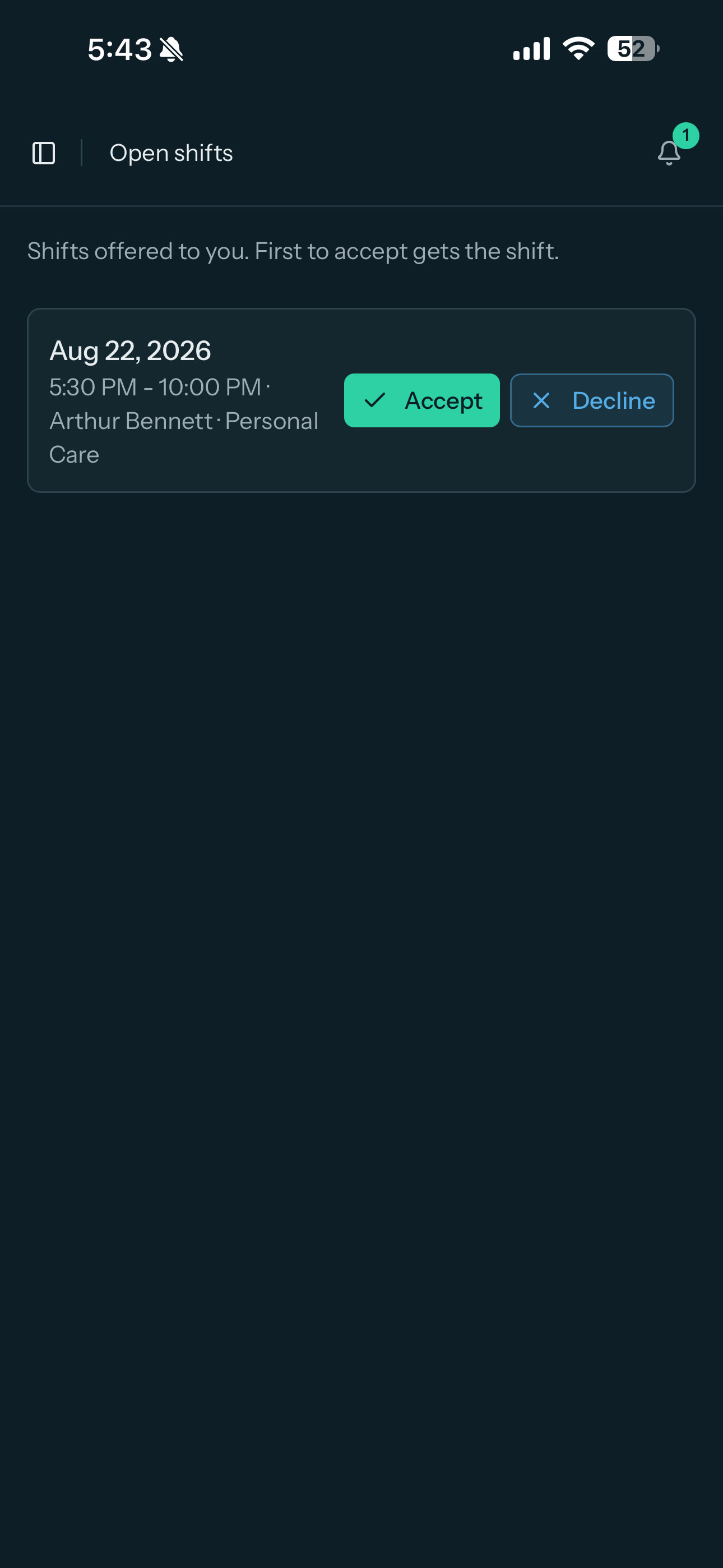
Open shifts
Unfilled shifts find their caregiver.
Offers broadcast by the office land in the app, and the first caregiver to accept gets the shift. The moment a shift is assigned, by acceptance or by the office directly, every other pending offer withdraws itself, so a stale offer can never be accepted and never steal an assigned shift.
Double-booking stays blocked automatically through it all: a caregiver already committed elsewhere cannot pick up a colliding shift, no matter how fast they tap.
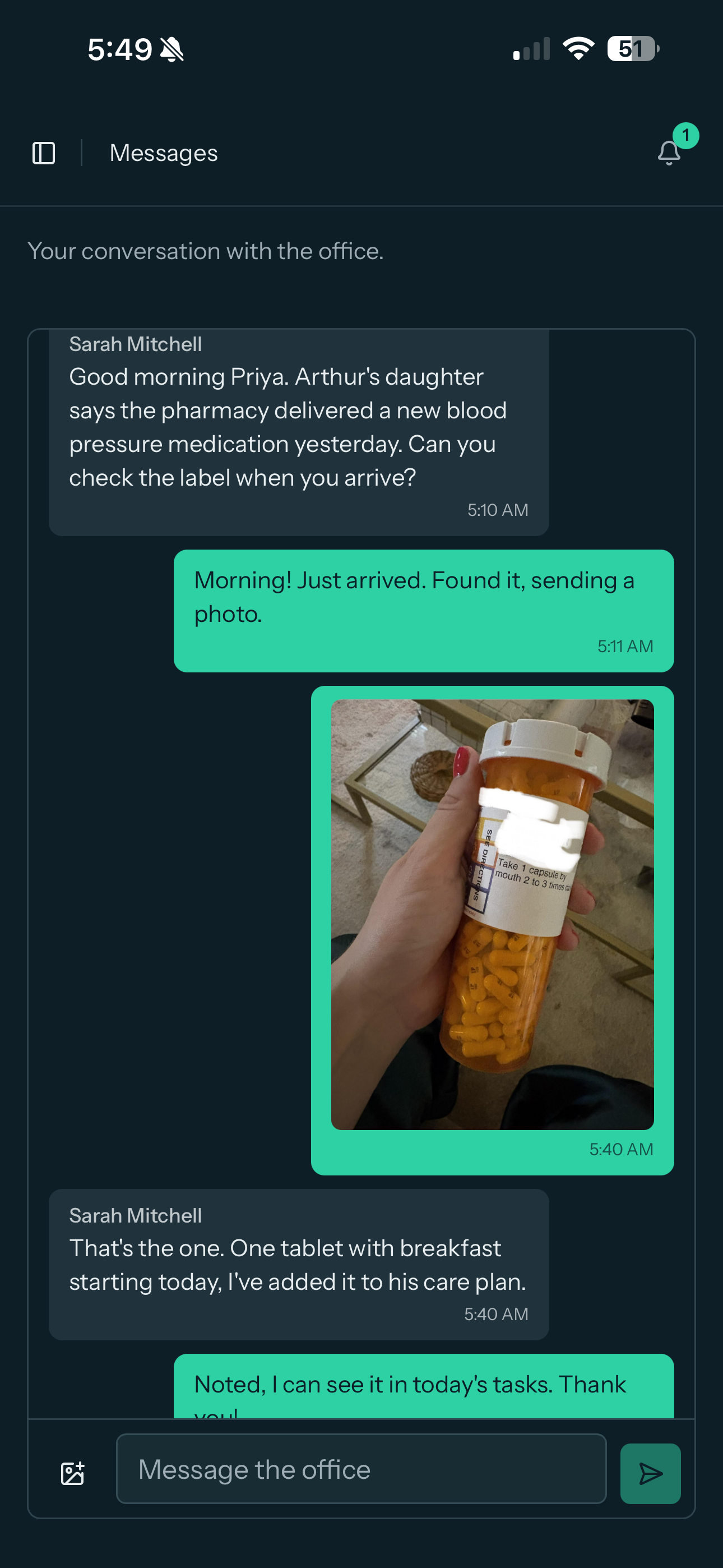
Messages
The office is a message away, both directions.
Every caregiver has one conversation with the agency: they write when something comes up at the door, and any staff member holding the messages permission answers from a shared office inbox. Nothing depends on which coordinator happens to be at a desk.
- Photos travel in the chat: wound care, medication labels, a door code. They live on the agency's private storage, never on a public link.
- New messages ring the bell and push to the phone, and the tap opens the right thread on either side.
- Deliberately hub-and-spoke: conversations run between the agency and each person, so care coordination stays where the agency can see it.
The rest of the pocket office
Everything else a caregiver needs, in the same place.
My documents
Their credentials with a plain status on each: Valid, Renew soon, or Expired. No surprises at the door when a certification lapses.
One app, both platforms
iPhone and Android get the same app and the same experience: push notifications, the tag tap at the door, and offline-safe clock-ins, with nothing different to learn between phones.
Invitations without phone calls
Access is granted from the caregiver's profile, and a branded email invite carries a set-your-own-password link. One click resends a fresh link any time.
Scoped on the server
A caregiver sees and acts on their own shifts, visits, offers, and documents, and nothing else. The boundary is enforced server-side, not just hidden in the interface.
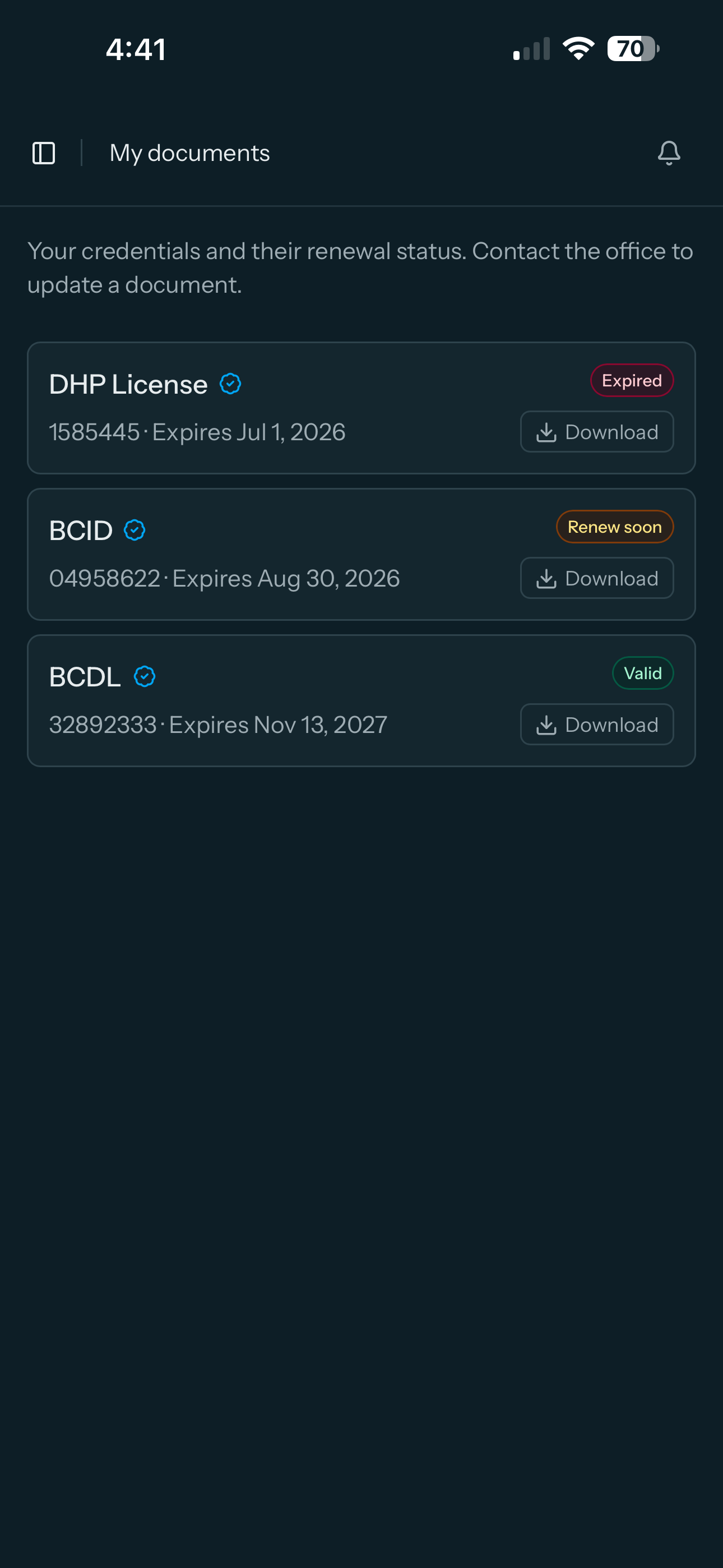
My documents: every credential and its status, in the caregiver's own hands.
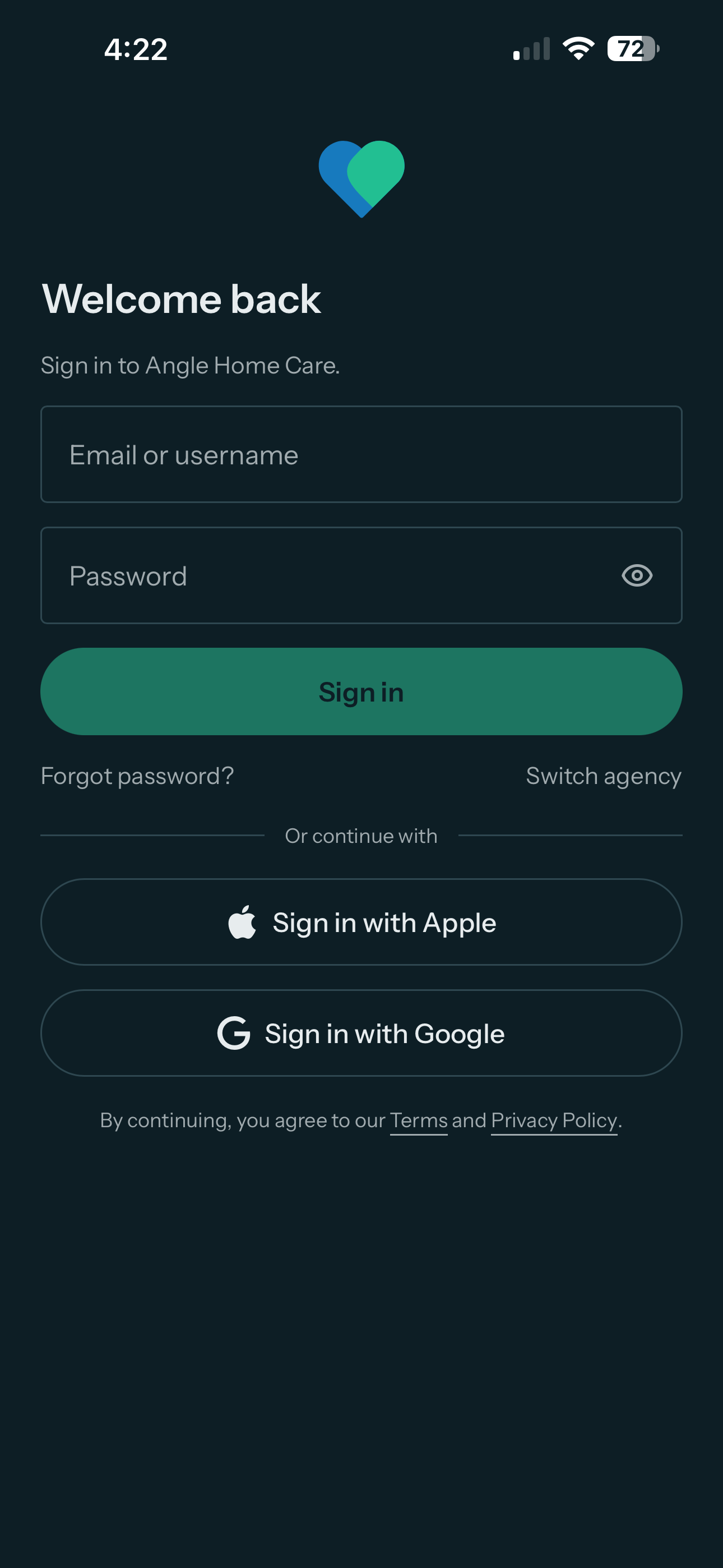
One tap on the account already on the phone, and they are in.
Signing in
Google and Apple sign-in, no passwords to reset.
Caregivers sign in with the Google or Apple account already on their phone. It is the phone's own account sheet, one tap and done, and it works on every agency's own address without any setup on the agency's side.
- Signing in never creates an account. It matches the people the agency has provisioned, and an unknown identity is simply told there is no account here.
- A caregiver can connect a provider from their settings once, and the password login keeps working alongside it.
- The same sign-in works for office staff and family members alike, so nobody in the agency's world is stuck managing passwords.
Common caregiver app questions.
iPhone and Android, with the same experience on both: push notifications, the home tag tap at the door, offline-safe clock-ins, and sign-in with the account already on the phone. It is a free download from the App Store and Google Play.
The agency grants access from the caregiver's profile. A branded invitation email carries a set-your-own-password link, so nobody dictates temporary passwords over the phone, and one click resends a fresh link any time.
Only their own world: their shifts, their offers, their documents, their profile. The boundary is enforced on the server, not just hidden in the interface, so it holds no matter what device or request it comes from.
Clock-ins are offline-safe: every punch carries its own identity, so a retry after a dead spot never duplicates a visit. The punch syncs when the connection returns.
Put the schedule in every pocket this week.
Start your 30-day free trialNo credit card to start · Teams without smartphones? See the attendance kiosk