"Was anyone there today?" answered without a phone call.
Families get their own private, read-only window: who is coming, when, and what care was delivered, with the caregiver's name and photo on every visit.


In the free Carelyst app, or any browser · Access comes from your loved one's agency
The care schedule
Who is coming, and who came.
The portal opens on the family member's schedule: upcoming visits with date, time, service, and the assigned caregiver's name and photo, and the full history of past visits with their status. A familiar face on the schedule, before the doorbell rings, is worth a dozen reassurance calls to the office.
- Opening a visit shows what care was delivered: arrival and departure times, the care checklist with outcomes, and the caregiver's visit notes.
- Caregiver photos are streamed only for caregivers actually serving that family, never browsable.
- Strictly read-only: families watch the care, the agency runs it.
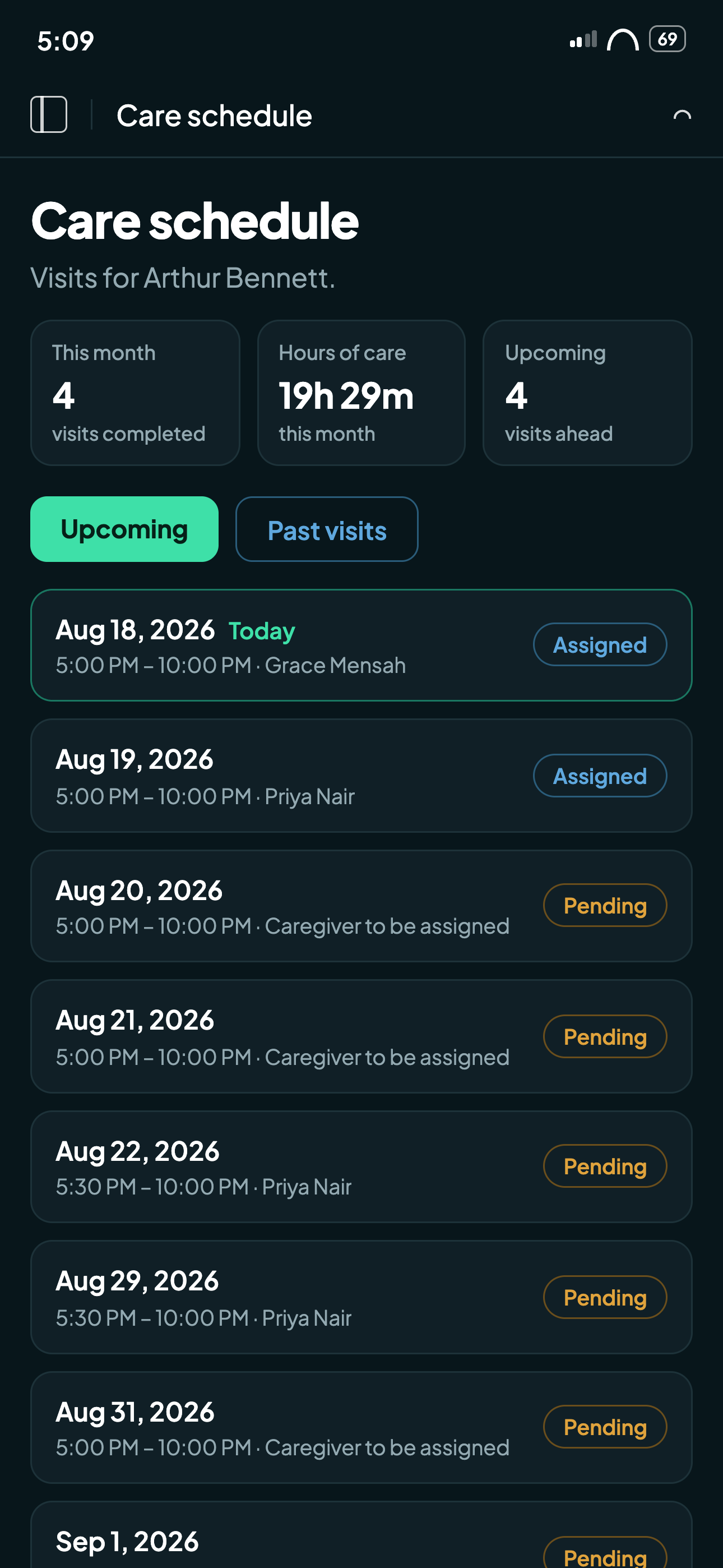
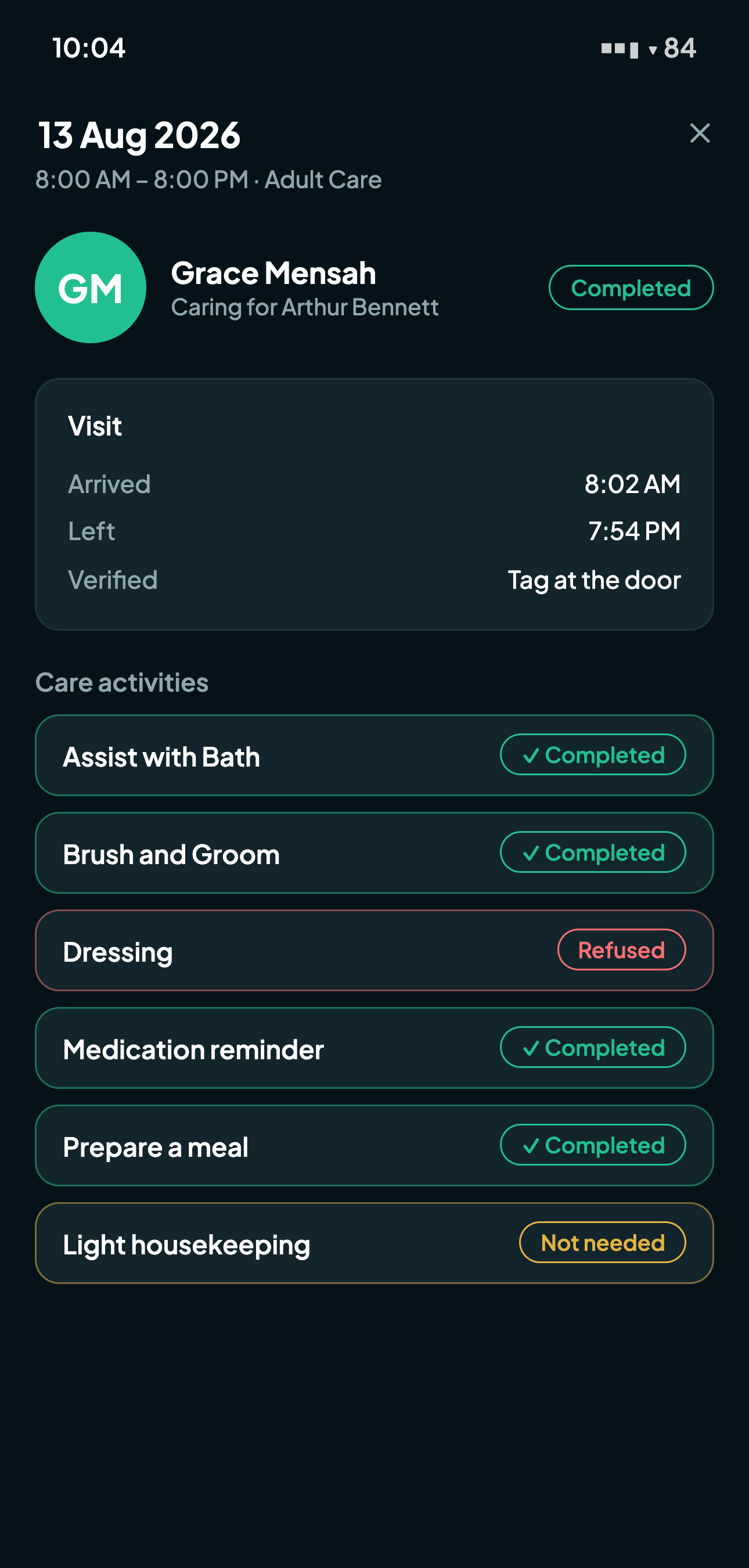
A completed visit, as the family sees it.
Privacy by design
Families see the care, not the chart.
The portal is deliberately scoped. Medications, wellness observations, location coordinates, and internal coordinator notes never appear in it. What a family sees is exactly what reassures them: the visit happened, this person delivered it, this care was done, and here is what the caregiver noted.
The boundary is enforced on the server, not just hidden on the screen, and it is written down: the same scoping appears in our Privacy Policy, so families and agencies are reading the same promise.
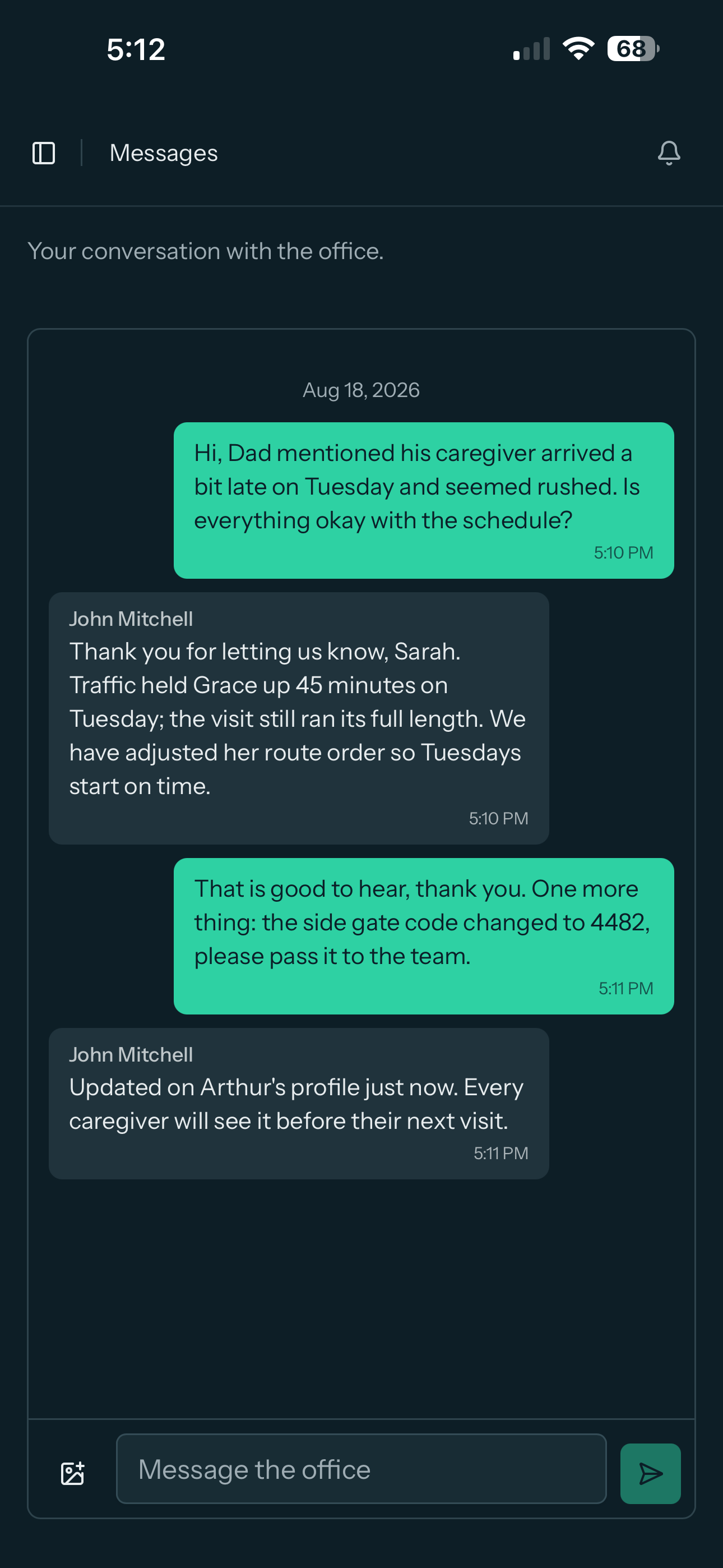
Concerns answered, details passed on: one conversation with the office.
Built for real families
The details that make it work day to day.
One login, both parents
A single family login can span several clients, so a daughter overseeing both parents signs in once and sees both schedules. Access is granted and revoked per contact, from each client's profile.
A message away from the office
Each family contact has one conversation with the agency, answered from a shared office inbox. Questions reach the people who can act, and never burden the caregiver at the door.
Sign in with Google or Apple
Family members sign in with the account already on their phone, and signing in never creates an account: it matches the contacts the agency has invited, and nobody else.
Invited by email, revoked in a click
Granting access sends a branded invitation with a set-your-own-password link, and revoking it takes one click on the contact. The agency stays in control of who watches.
Common family portal questions.
The care schedule and its history: who is coming and when, with the caregiver's name and photo, and for each visit the arrival and departure times, the care checklist with outcomes, and the caregiver's visit notes.
Medications, wellness observations, location coordinates, and internal coordinator notes never appear in the portal. Families see the care that was delivered, not the clinical chart or the operations behind it.
Yes. One family login can span several clients, so a daughter overseeing both parents signs in once and sees both schedules. Access is granted and revoked per contact, from each client's profile.
Yes. Each family contact has one conversation with the agency, answered by any staff member holding the messages permission from a shared office inbox. Family members never see or message caregivers directly.
Give every family their window this week.
Start your 30-day free trialNo credit card to start · Cancel anytime